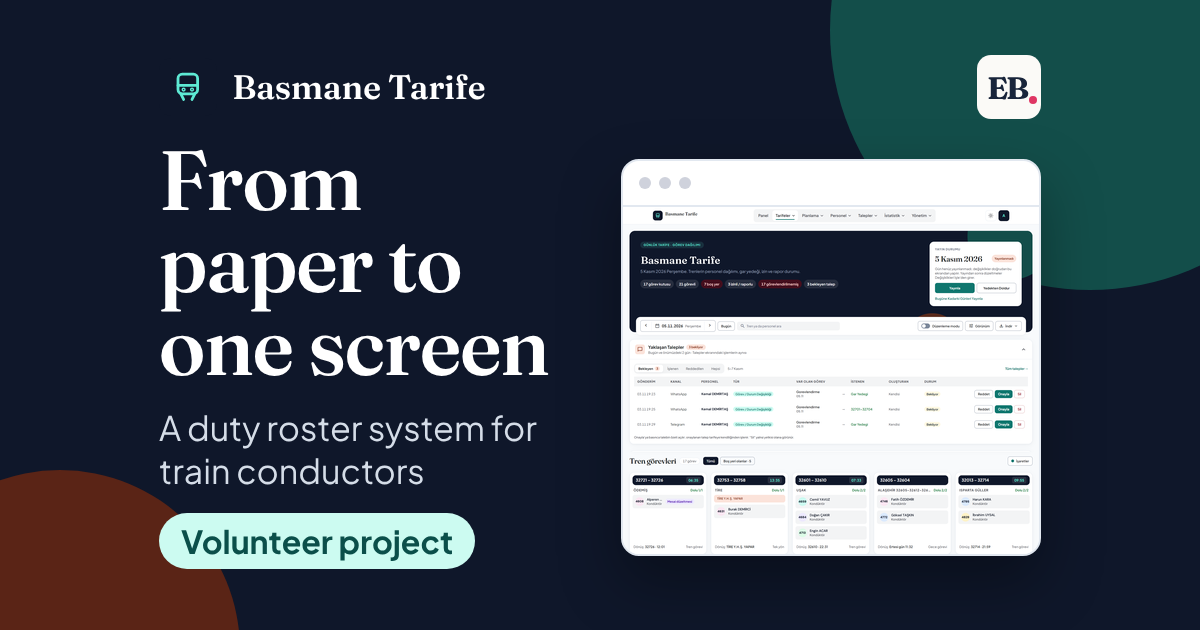
Basmane Tarife is a duty roster system I built for the team at TCDD Basmane. It brings the monthly and daily roster of train conductors, leave and sick leave tracking, working hours and the meal allowance list into one web system.
I have worked for the railway for 11 years. I have been a conductor for about five years, and for a while now I have also worked in train and staff planning. This duty roster system is a personal, volunteer project I built to quickly solve the problems I saw there. It has been tested and is a strong candidate to present to the company.
I described the first version earlier on my project page. This post is about the second version (V2), with a new design and new features.
Why a duty roster system
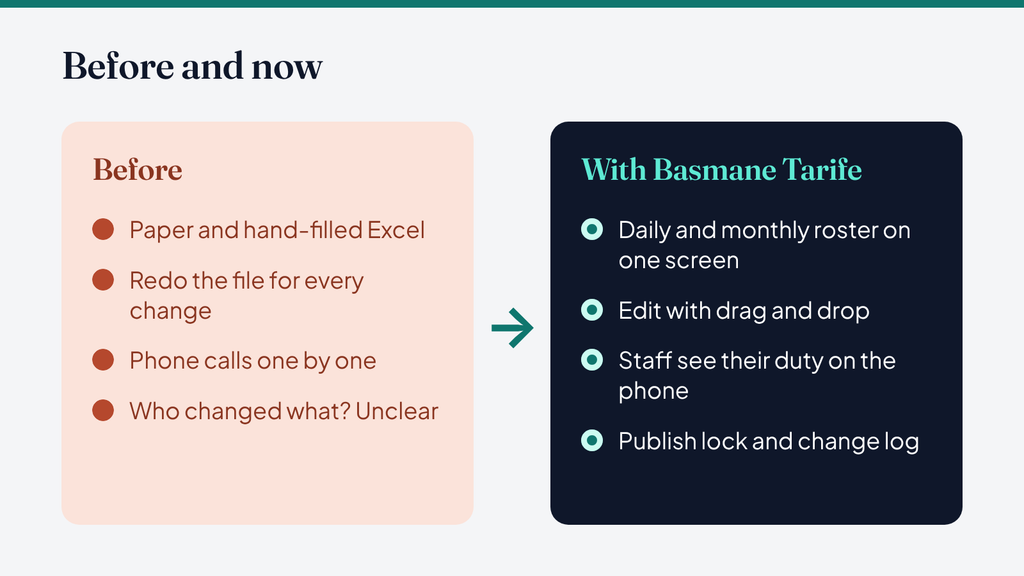
The roster is prepared every day: who takes which train, who rests, who is on standby. Until now this lived on paper and in hand-filled Excel files, and every change meant editing the file and phoning people one by one.
It works, but it is slow, mistakes slip through and nobody can see who changed what.
Basmane Tarife puts this scattered work into one structure. In my experience, most of the time we spent preparing the roster is gone, and there are far fewer phone calls.
From rotation to month, from month to day
The backbone is the rotation. The monthly roster is linked to it, and the daily roster comes from the monthly roster, so the manager only touches what changes.
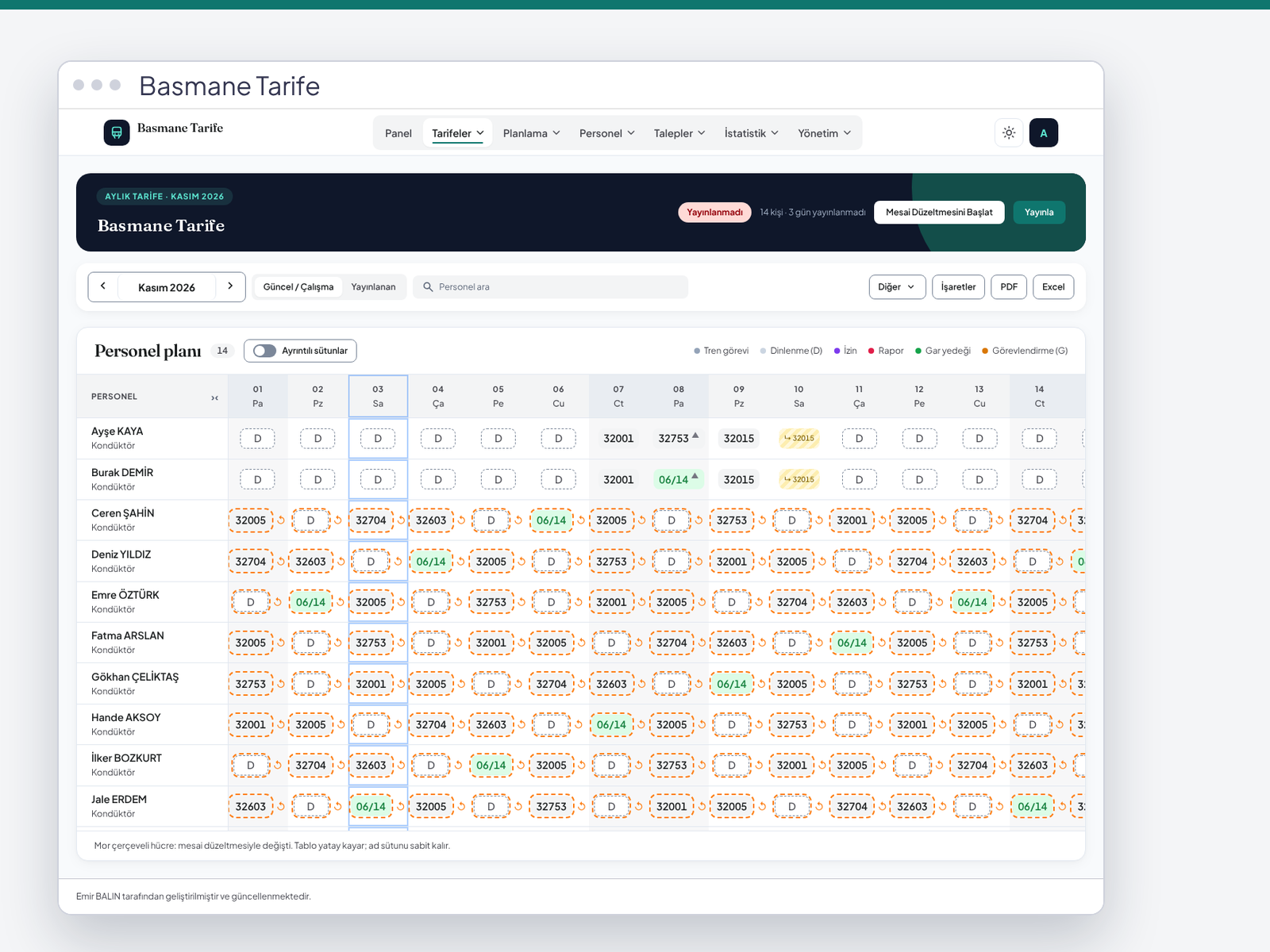
The monthly roster is an Excel-like grid: staff on the left, days at the top. Type a name and the table jumps to that row.
The daily roster on one screen
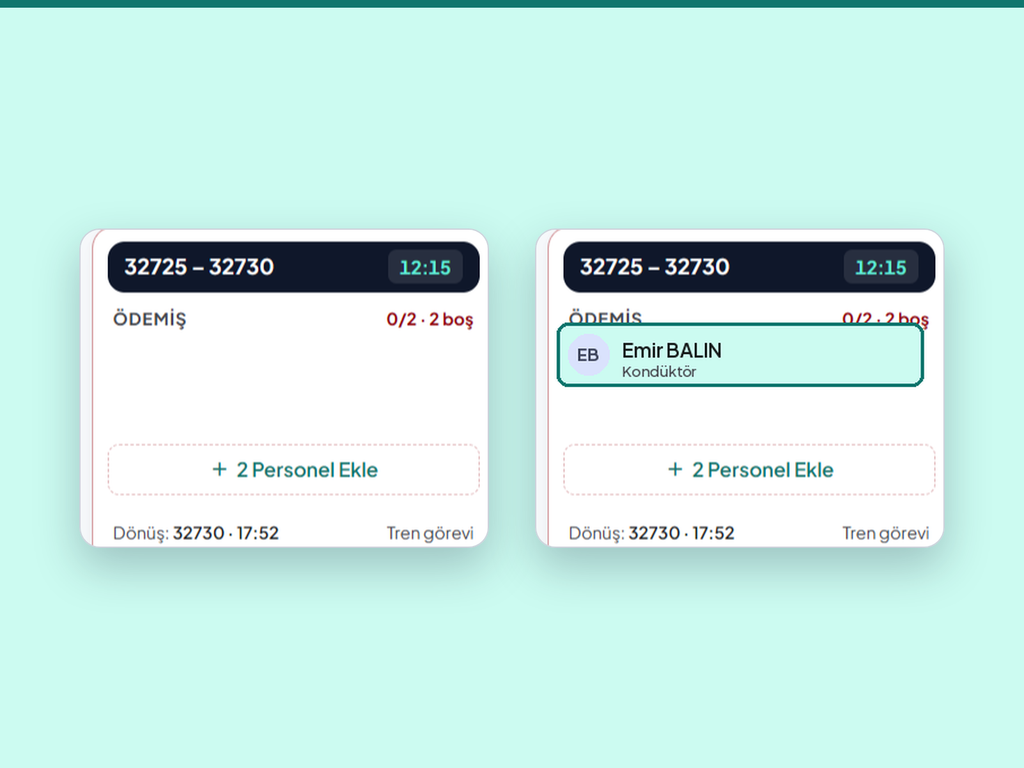
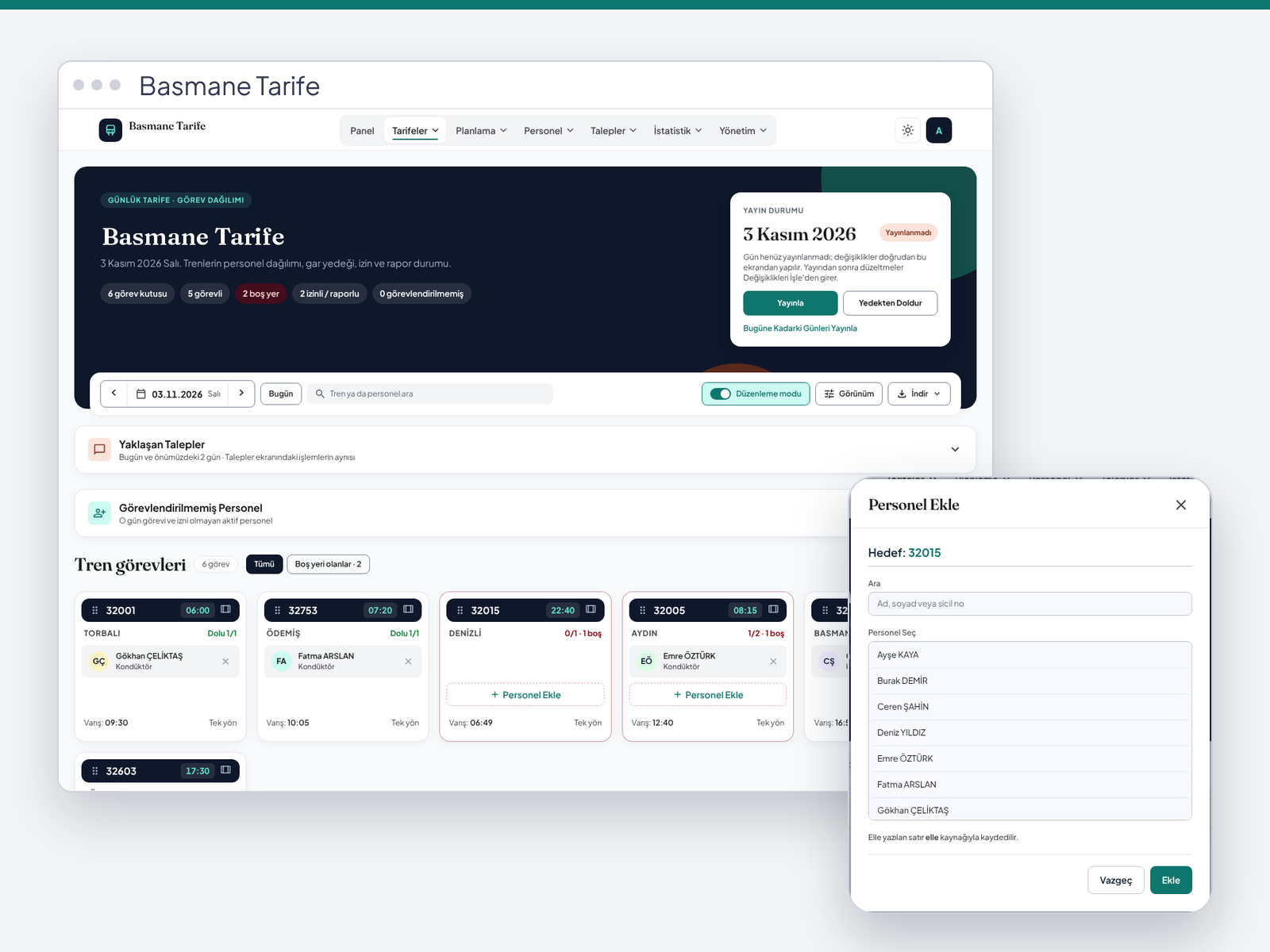
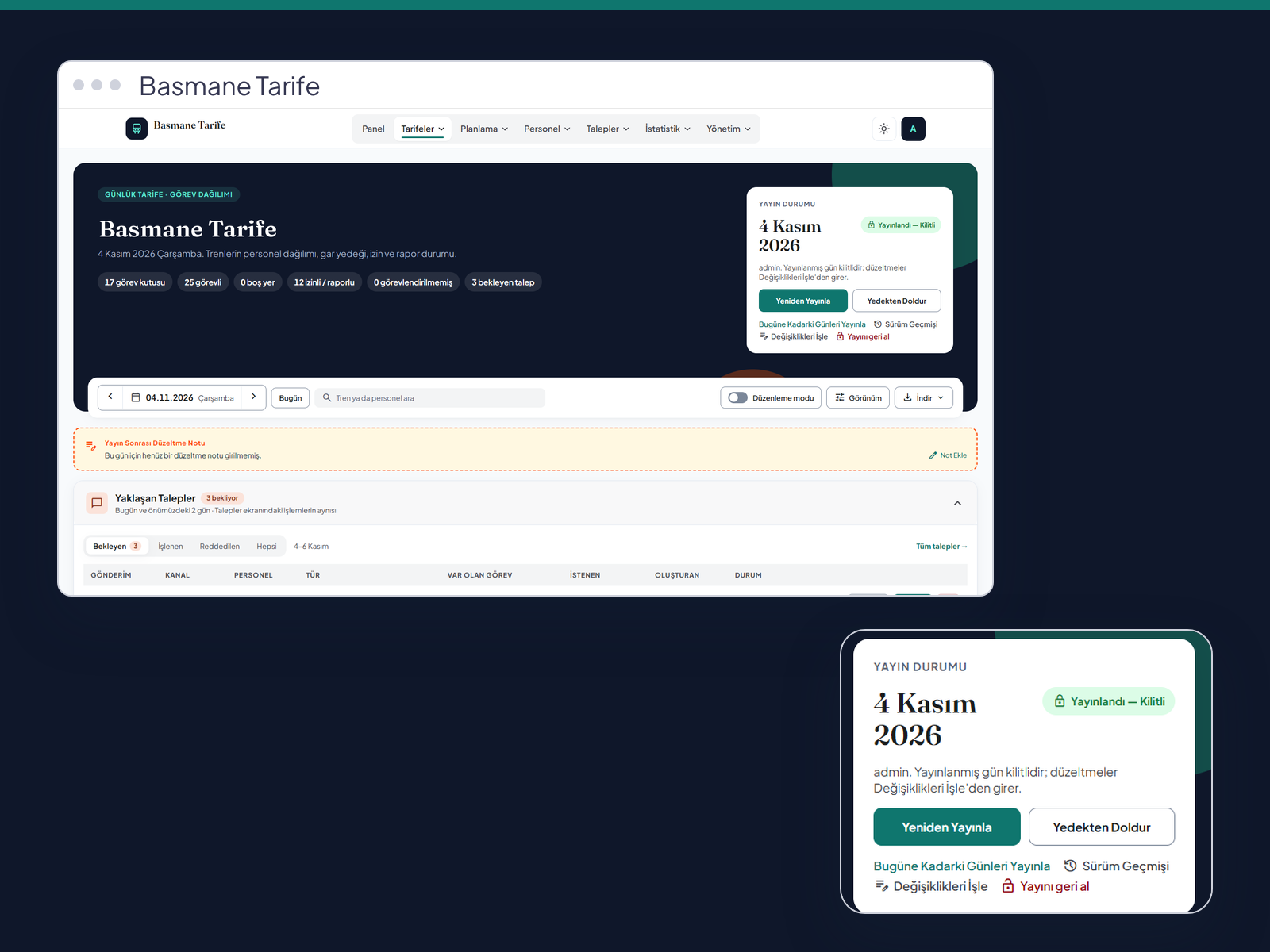
On the daily roster, each duty sits in a box with the train numbers, the reporting time, the staff and, for an empty slot, a red warning and an “Add staff” button.
Adding someone to an empty slot takes a few seconds: press “Add staff”, type the name in the window, pick it from the list and press “Add”. The person shows up in the box right away. Removing someone is one click. In edit mode, you can drag staff from one box to another.
Balancing overtime
The monthly roster has a “Mesai Düzeltmesini Başlat” (start overtime balancing) button. When the manager presses it at the start of the month, the system shows who will go above their target hours and suggests on which days the plan can be balanced. The manager goes through the suggestions and approves them one by one; the decision always stays with the manager.
Overtime balance and workload distribution were modelled on approaches from the planning literature.
Publish lock and version history
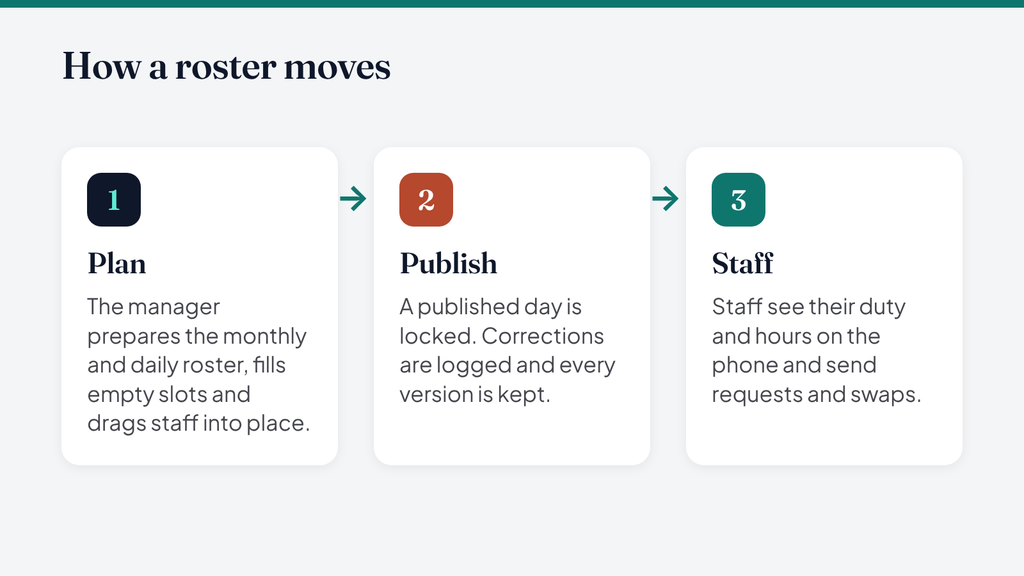
For me, publishing matters most. A published day is locked: it can no longer change quietly. If a correction is needed later, it goes in from a separate screen and is logged. Every publication keeps a version history, and every change goes into a change log.
This keeps the roster fair and transparent. You can always see who changed what and when.
Requests, swaps and the Tarife Asistanı
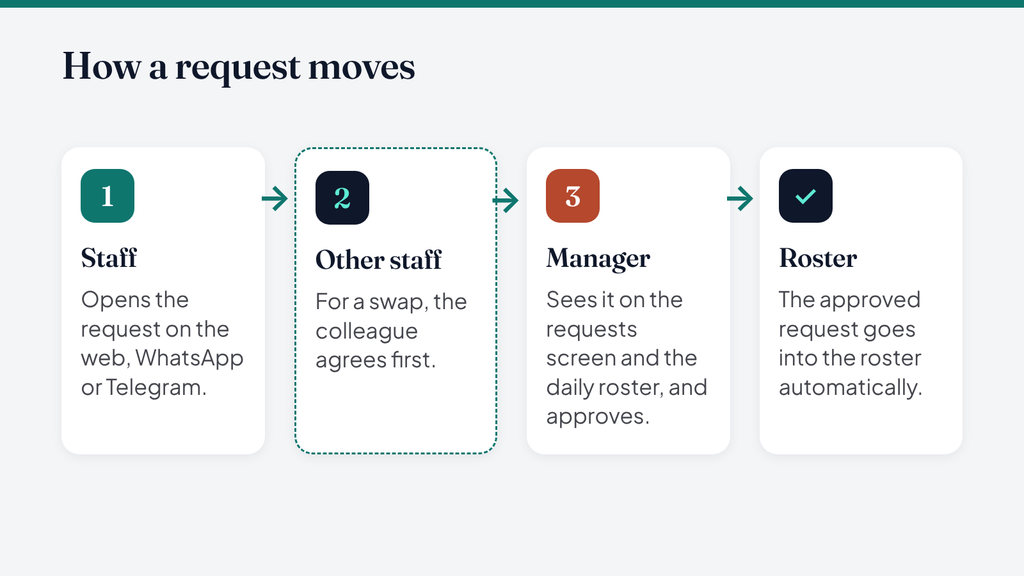
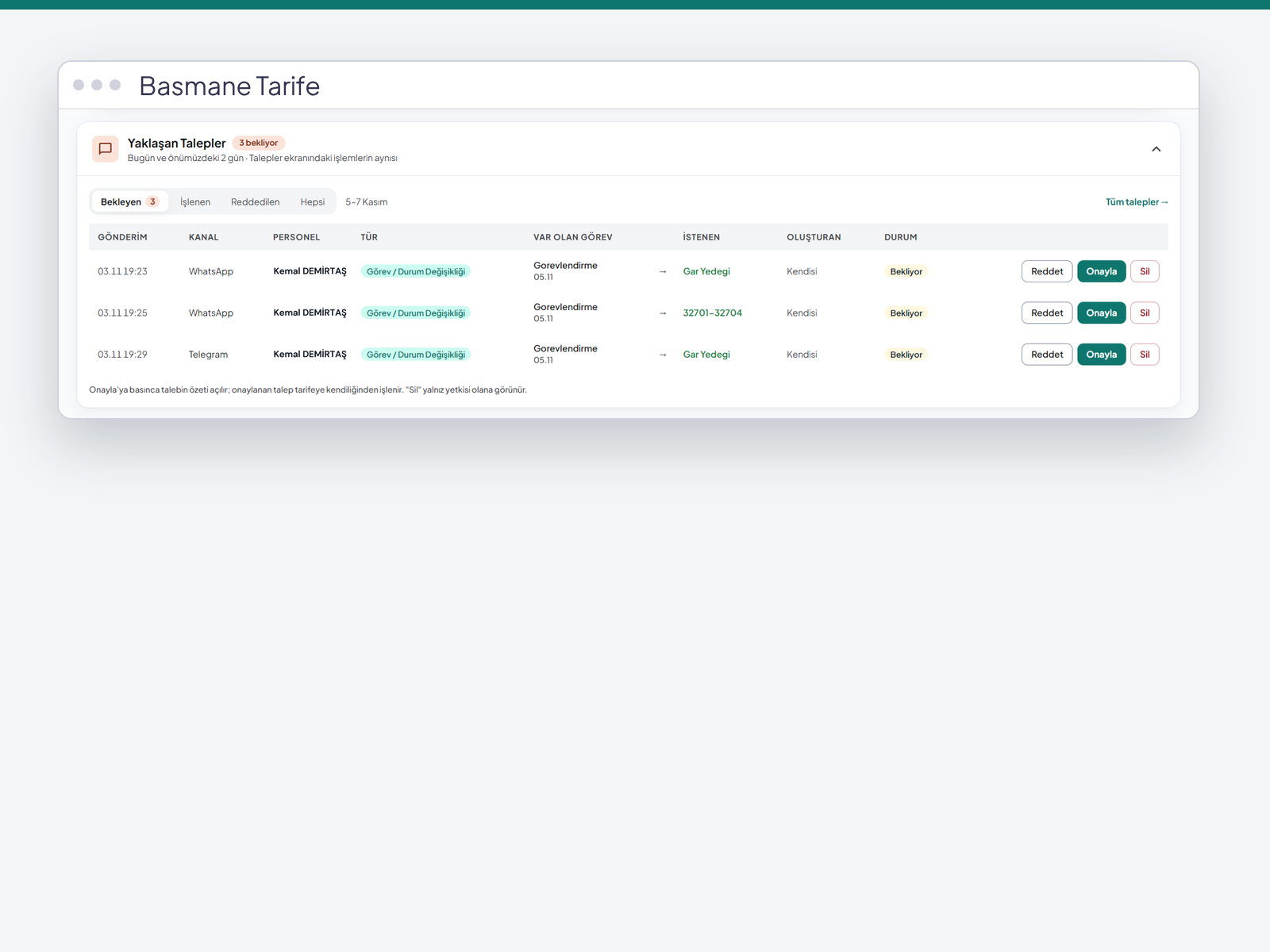
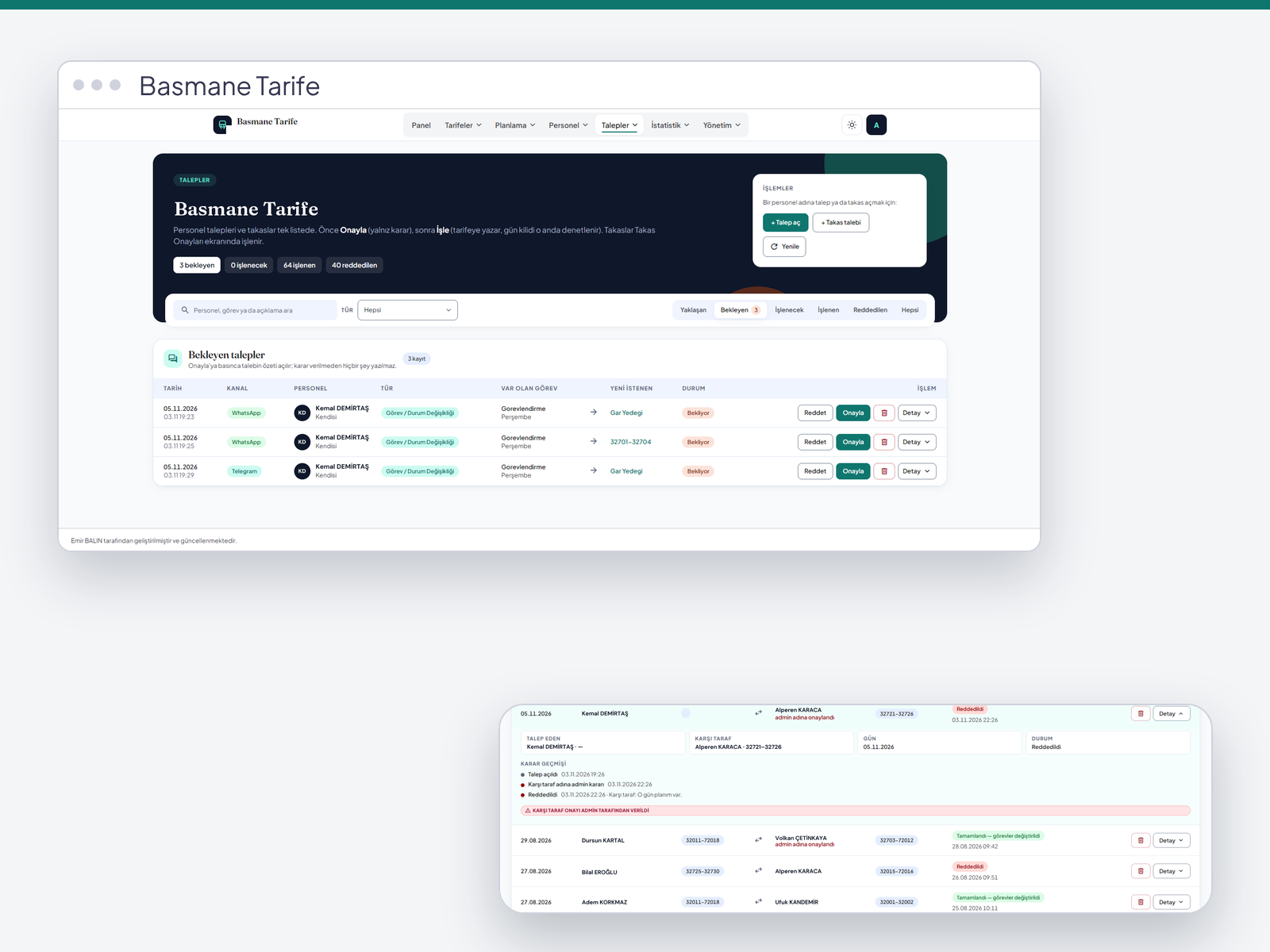
Staff log in with their own account and open a request to change a duty, or a swap request with a colleague. The request reaches the manager right away: it appears on the requests screen and in the “Upcoming requests” part of the daily roster.
A swap has two steps. First the colleague agrees, then the manager approves. Once approved, the request goes into the roster automatically.
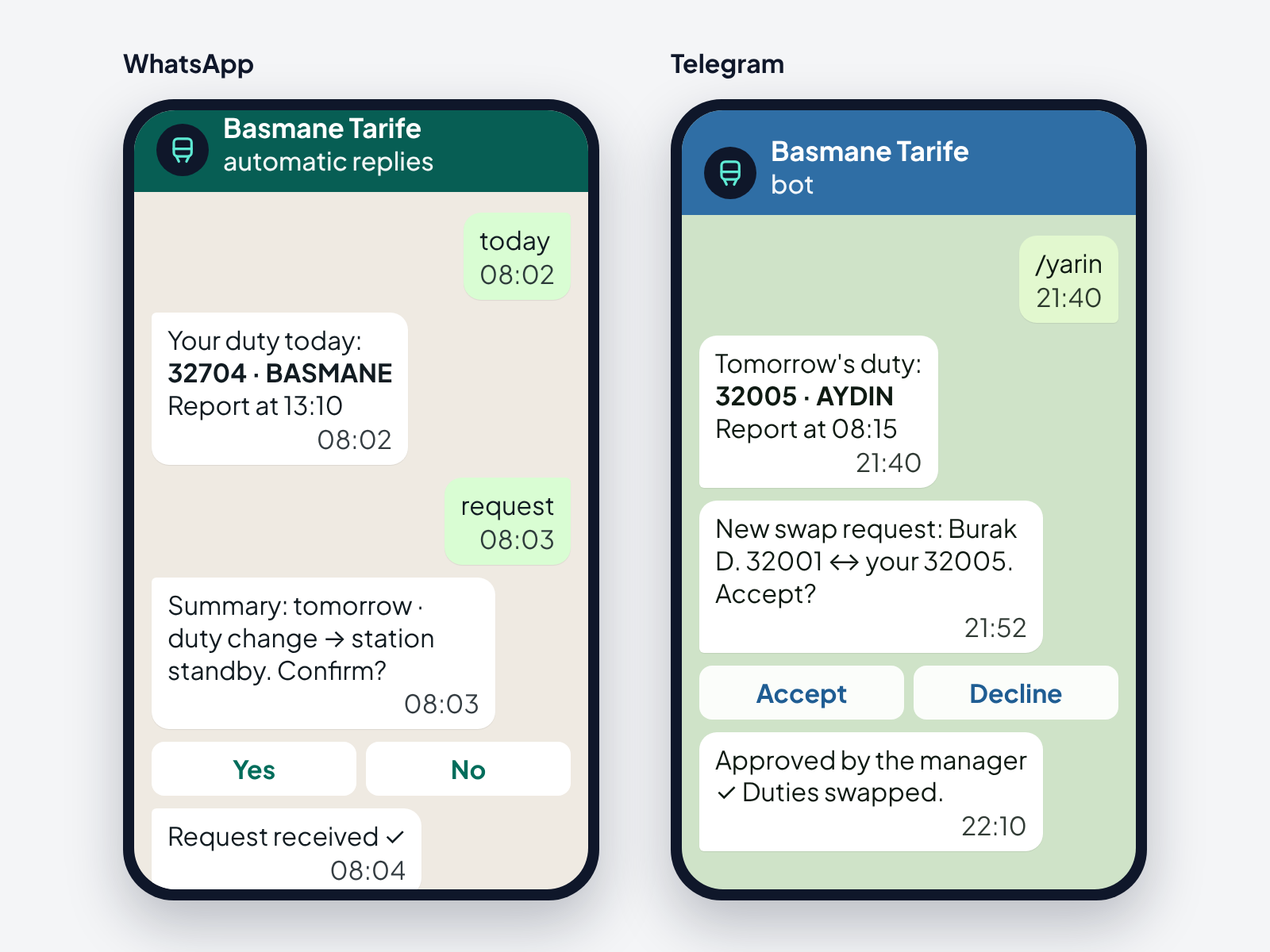
Requests can come from any platform: the web, WhatsApp and Telegram. Ask the Tarife Asistanı (roster assistant) “What is my duty today?” and it tells you today’s train and reporting time. To open a request, it asks step by step and confirms a summary. The WhatsApp side works through an open-source connection.
Staff pages and statistics
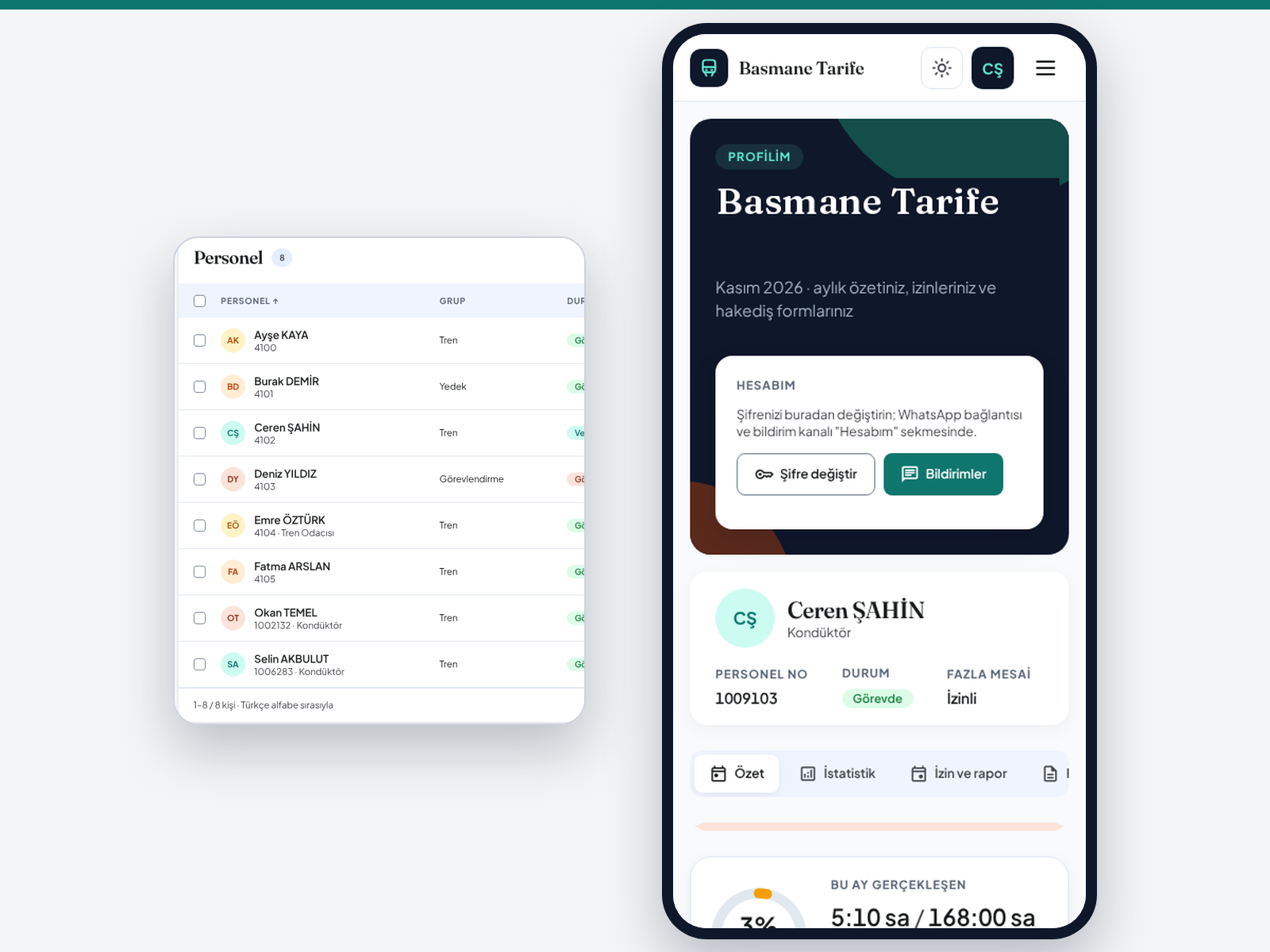
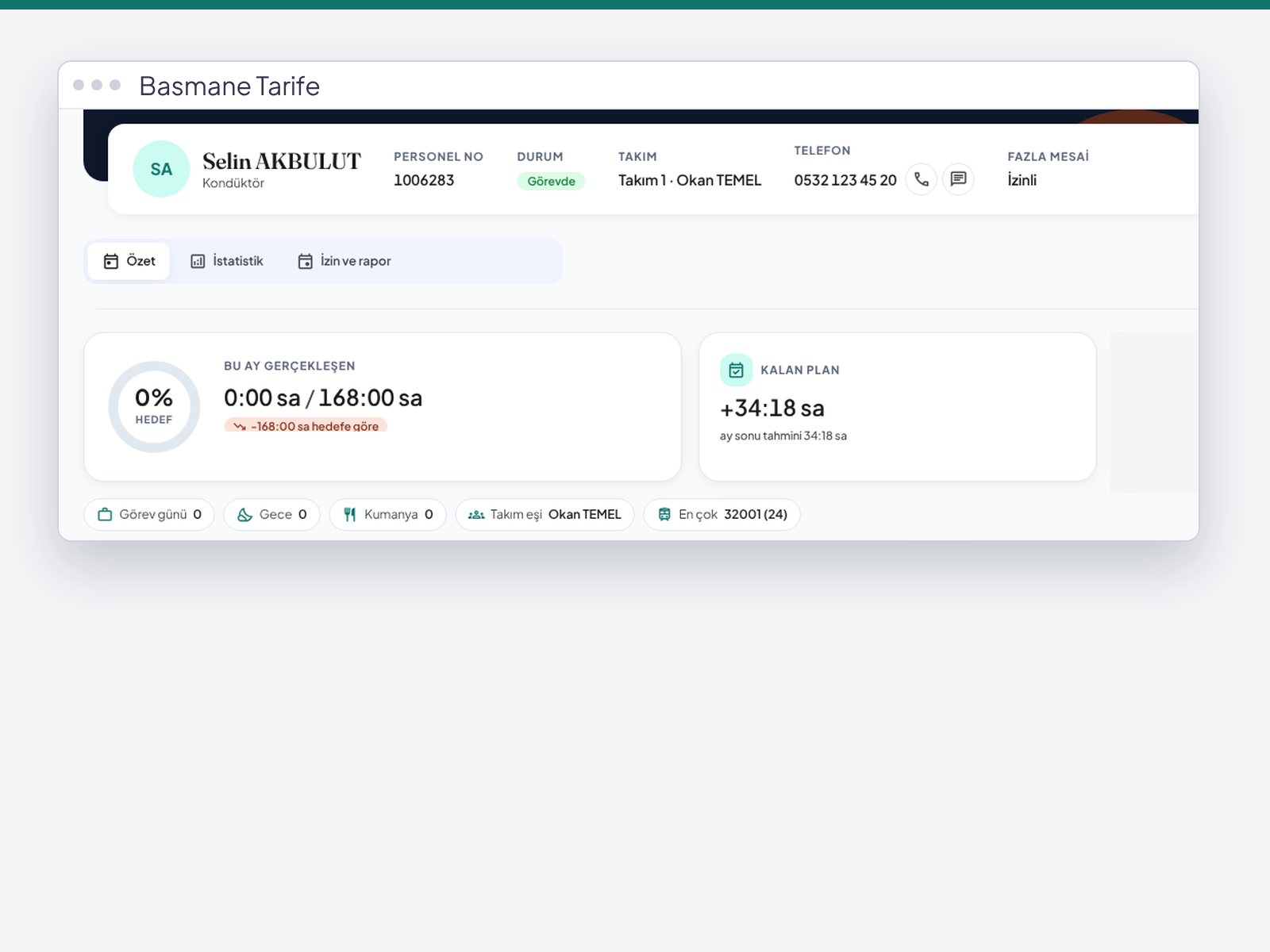
The staff list shows each person’s hours this month and their target at a glance. Click a person to open their own page: duties, working hours this month, the target and upcoming duties. Staff see the same on their phone; hours, night work and the meal allowance are calculated automatically.
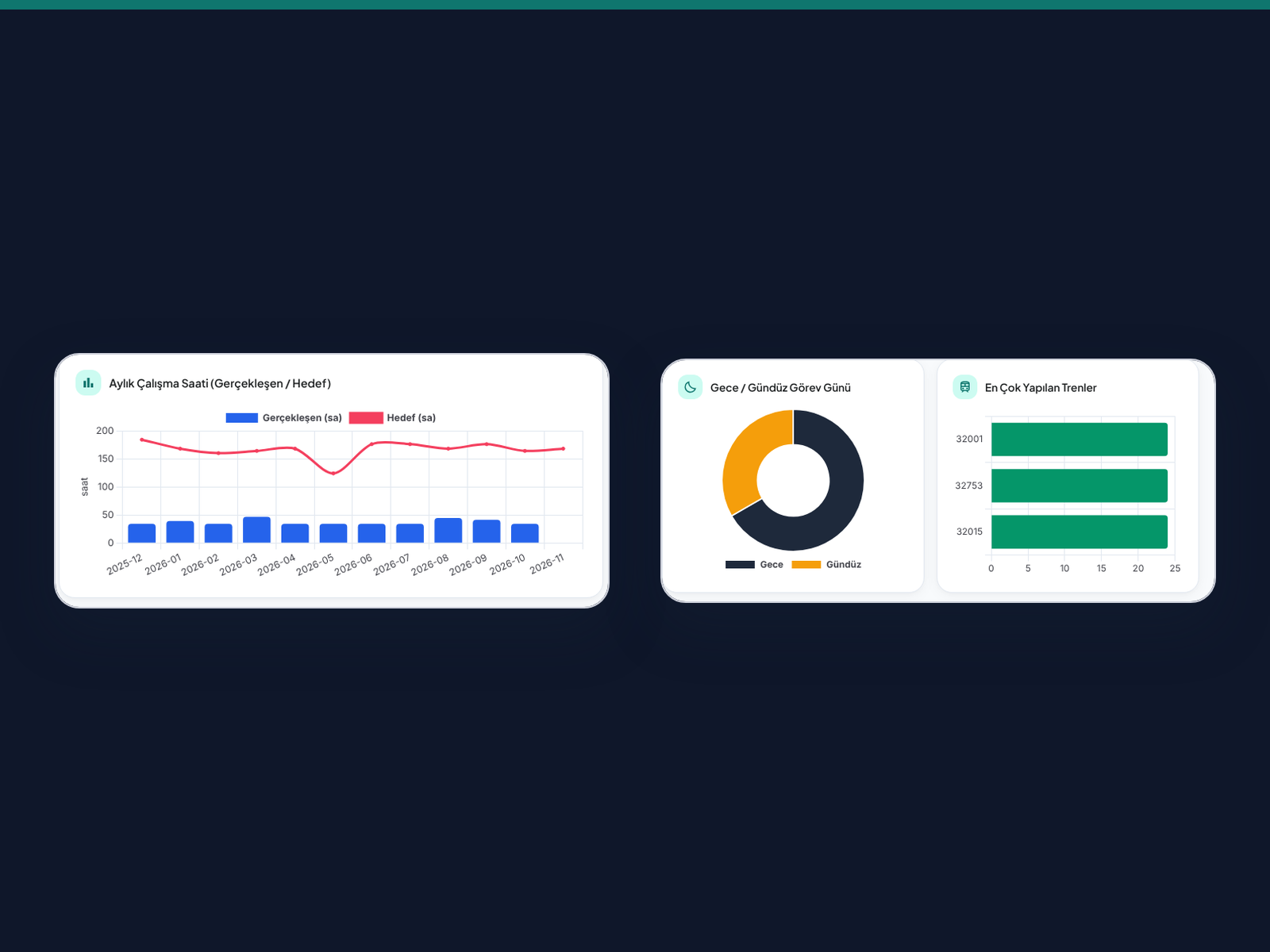
Statistics pages chart monthly hours against the target, so managers see who will go into overtime and balance the plan in time.
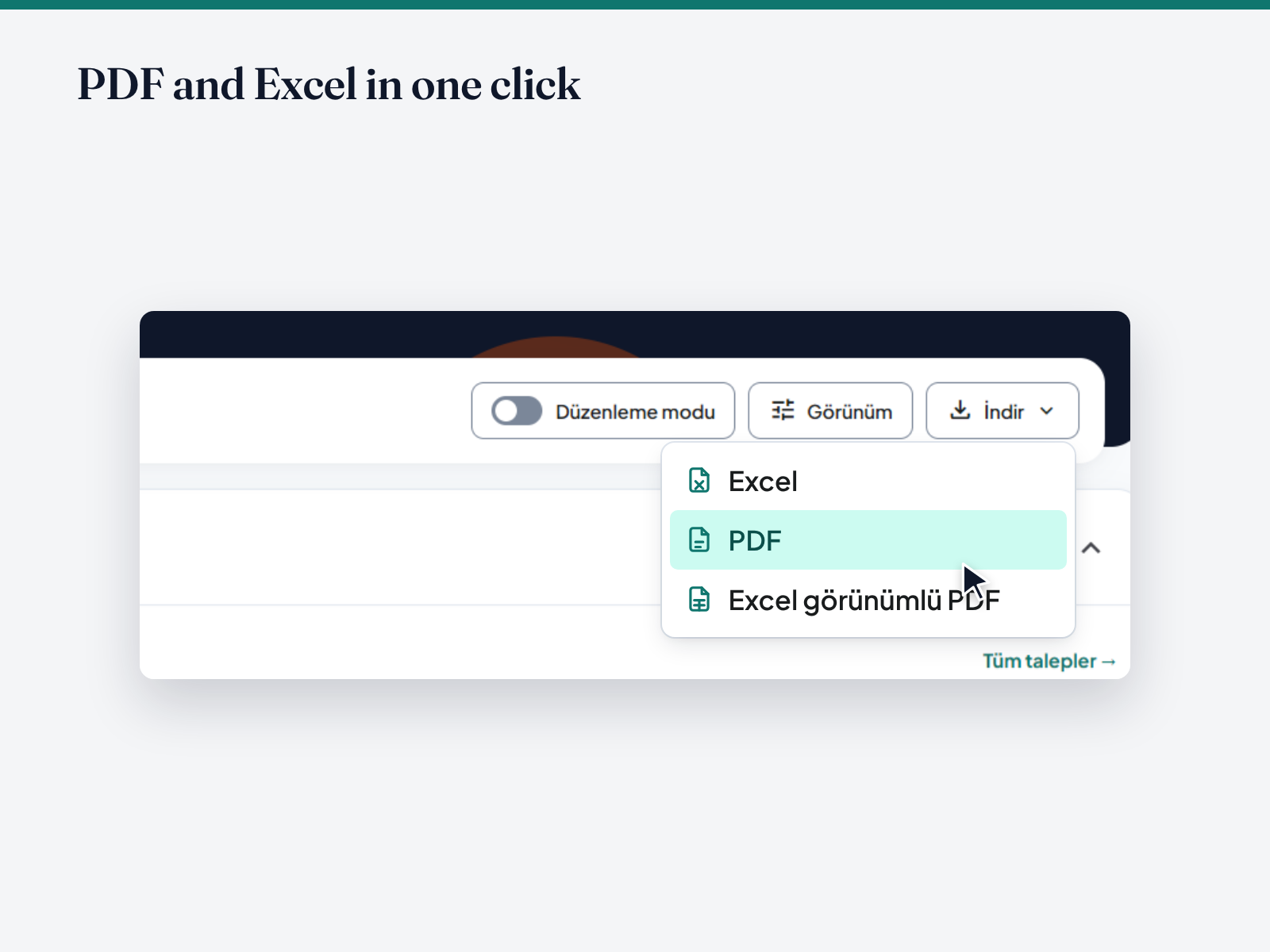
When you need a file, the “İndir” (download) button is enough. Its menu offers Excel, PDF and an Excel-style PDF, and the output matches the roster on the screen.
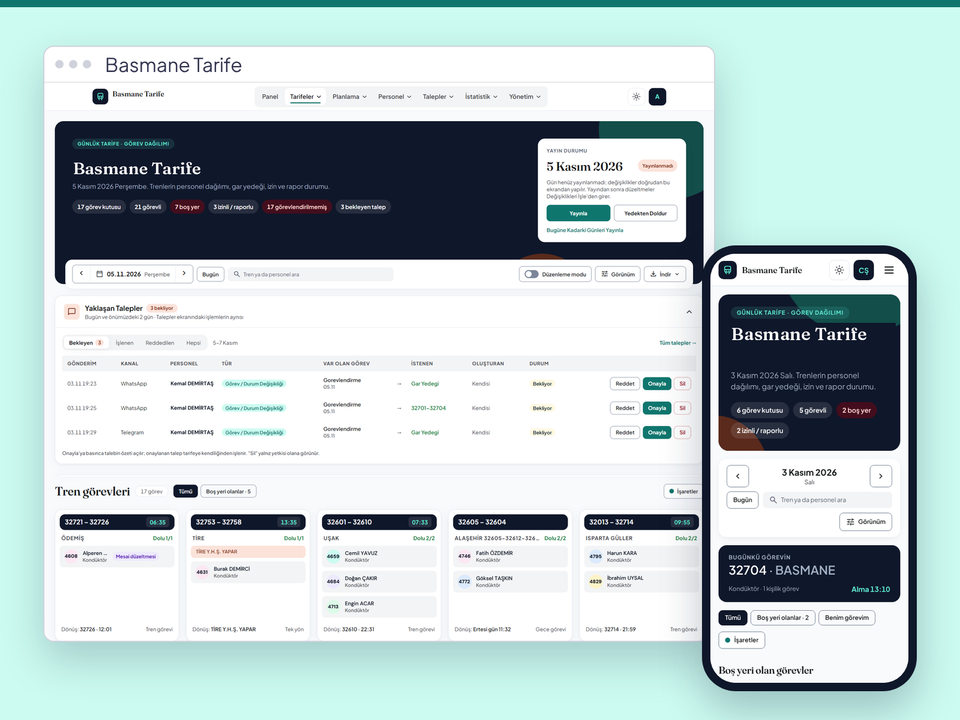
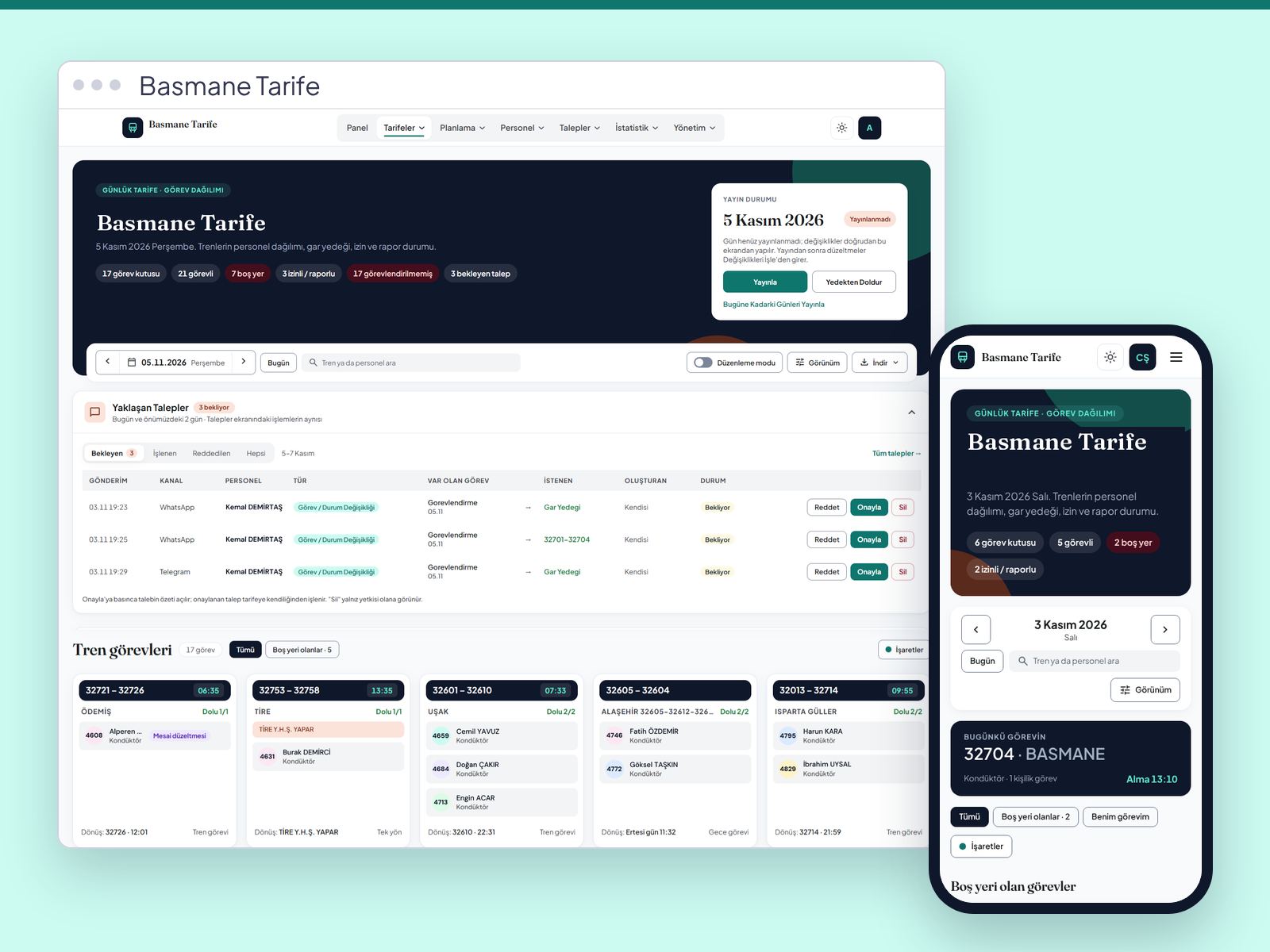
The full daily roster screen: header band, upcoming requests and train duty boxes
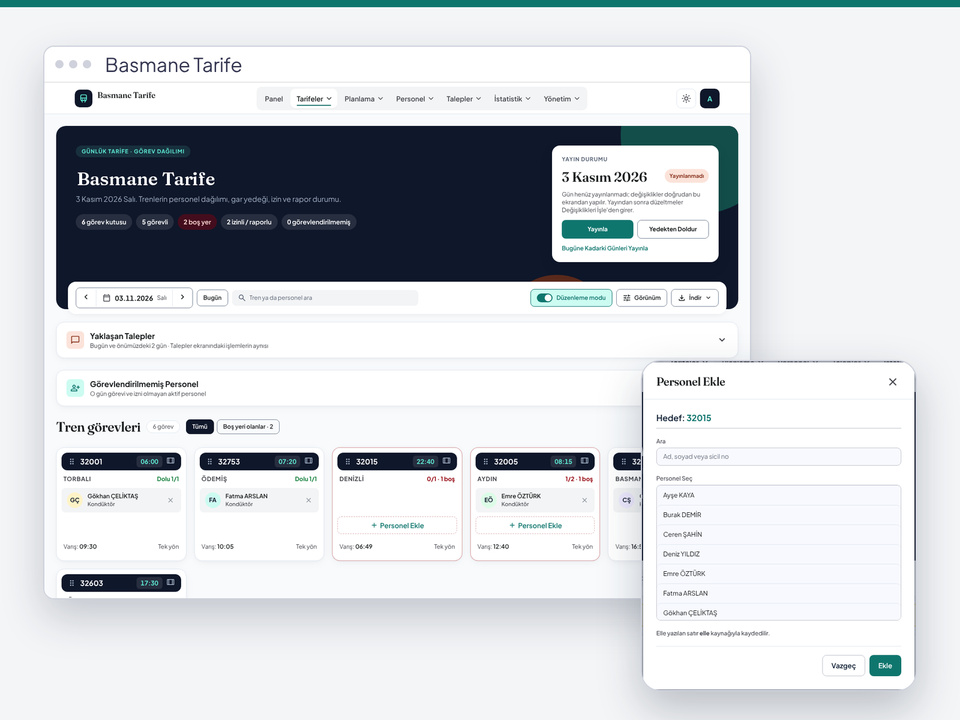
The add staff window in edit mode
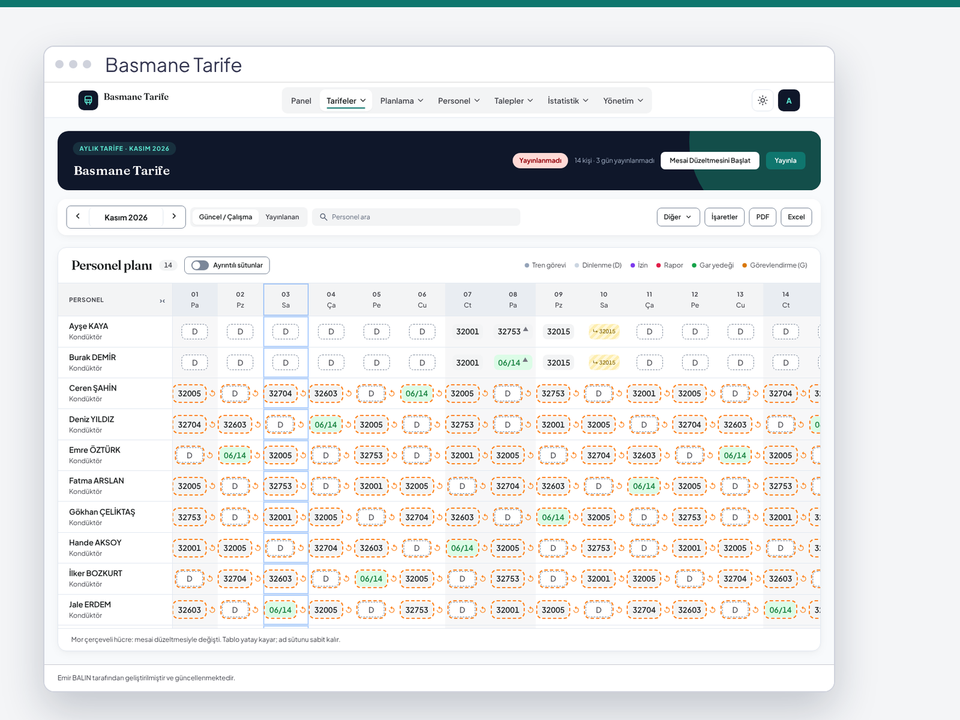
The monthly roster grid: staff rows and duties by day
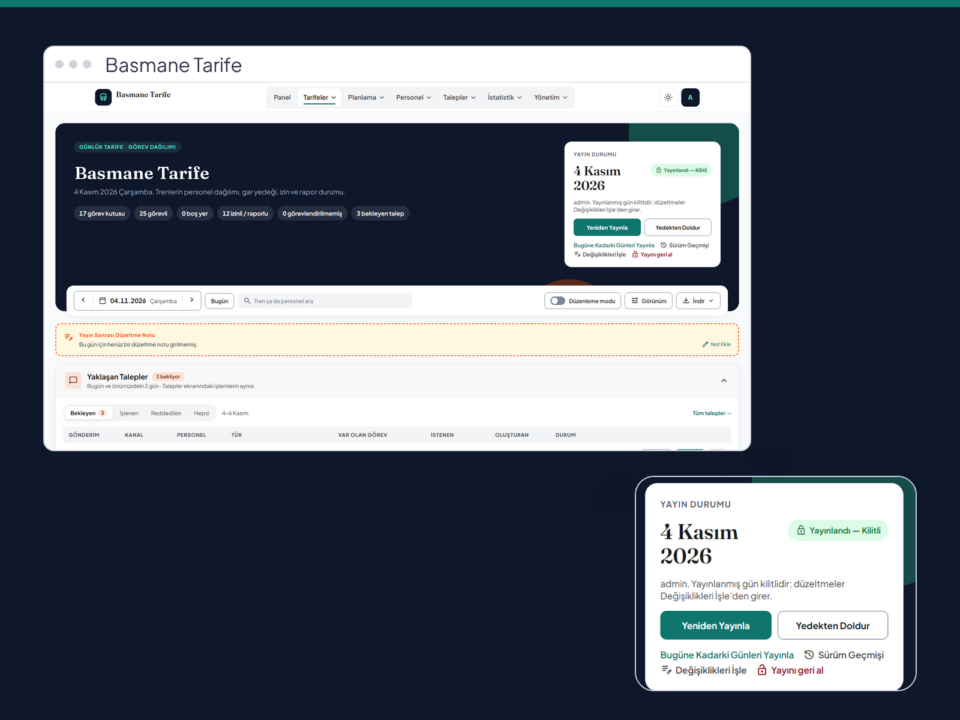
A published, locked day: version history and correction links on the publish status card
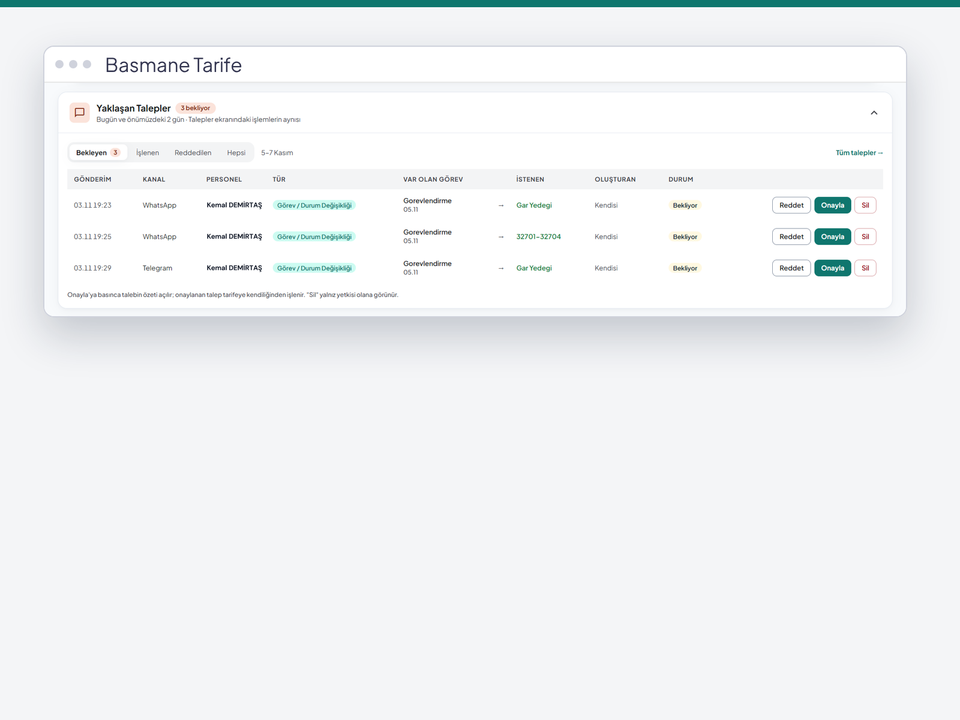
Upcoming requests on the daily roster: pending requests and approve buttons
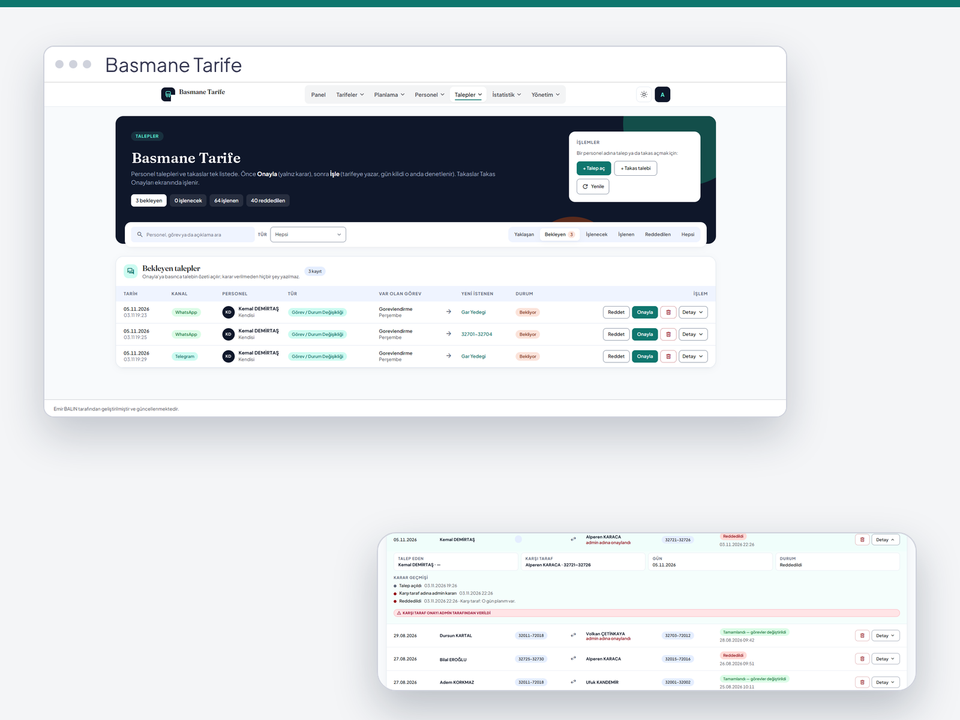
The pending requests and swap approvals screens
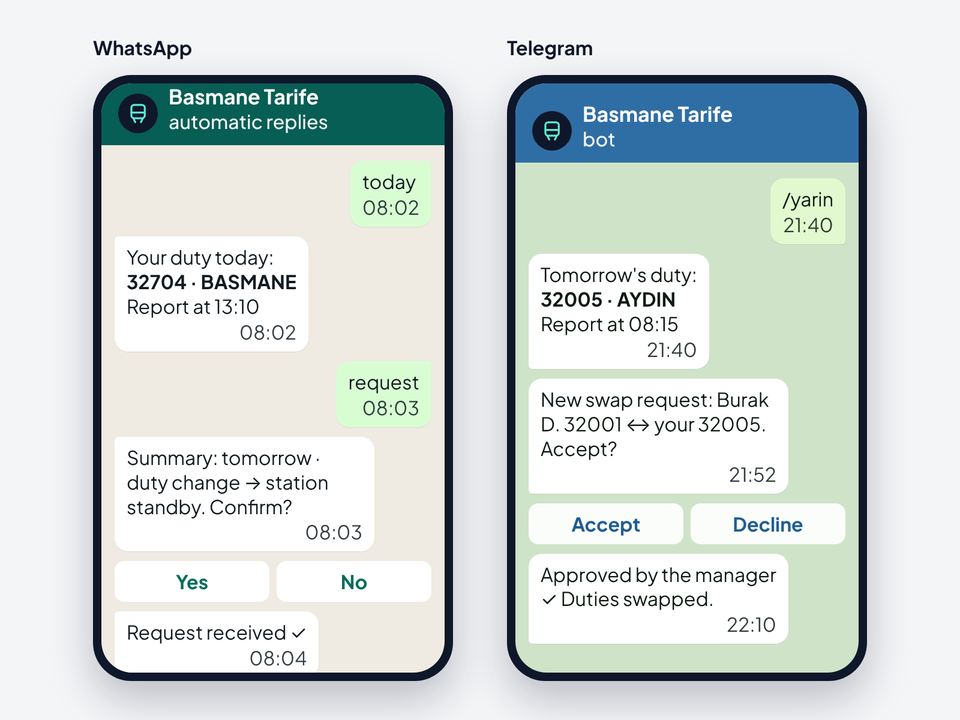
A WhatsApp-style and Telegram-style chat with the roster assistant: asking for a duty and opening a request
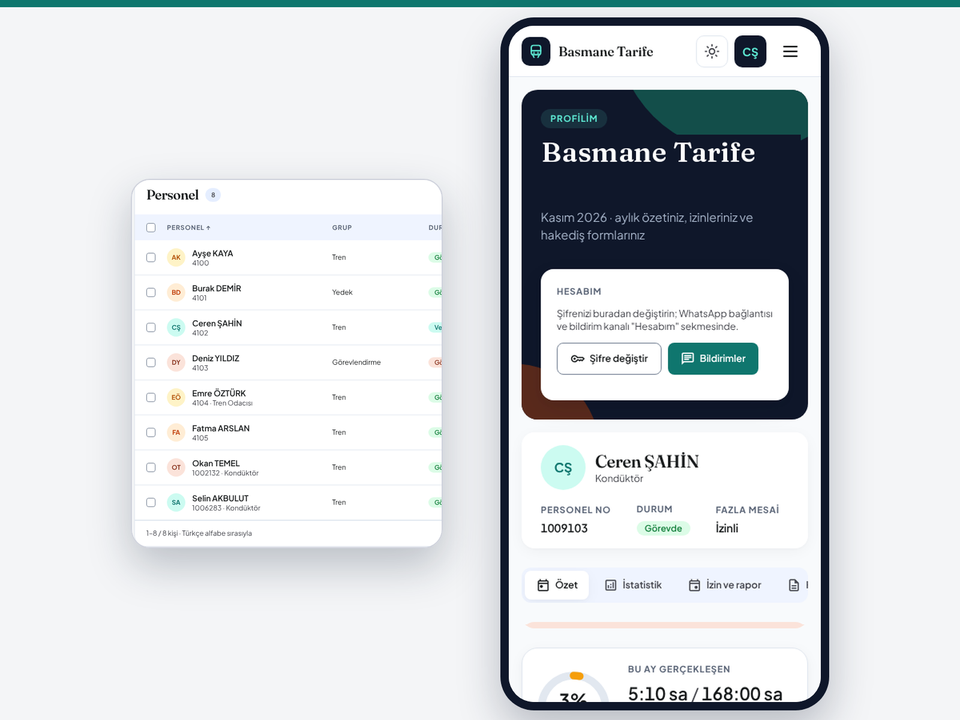
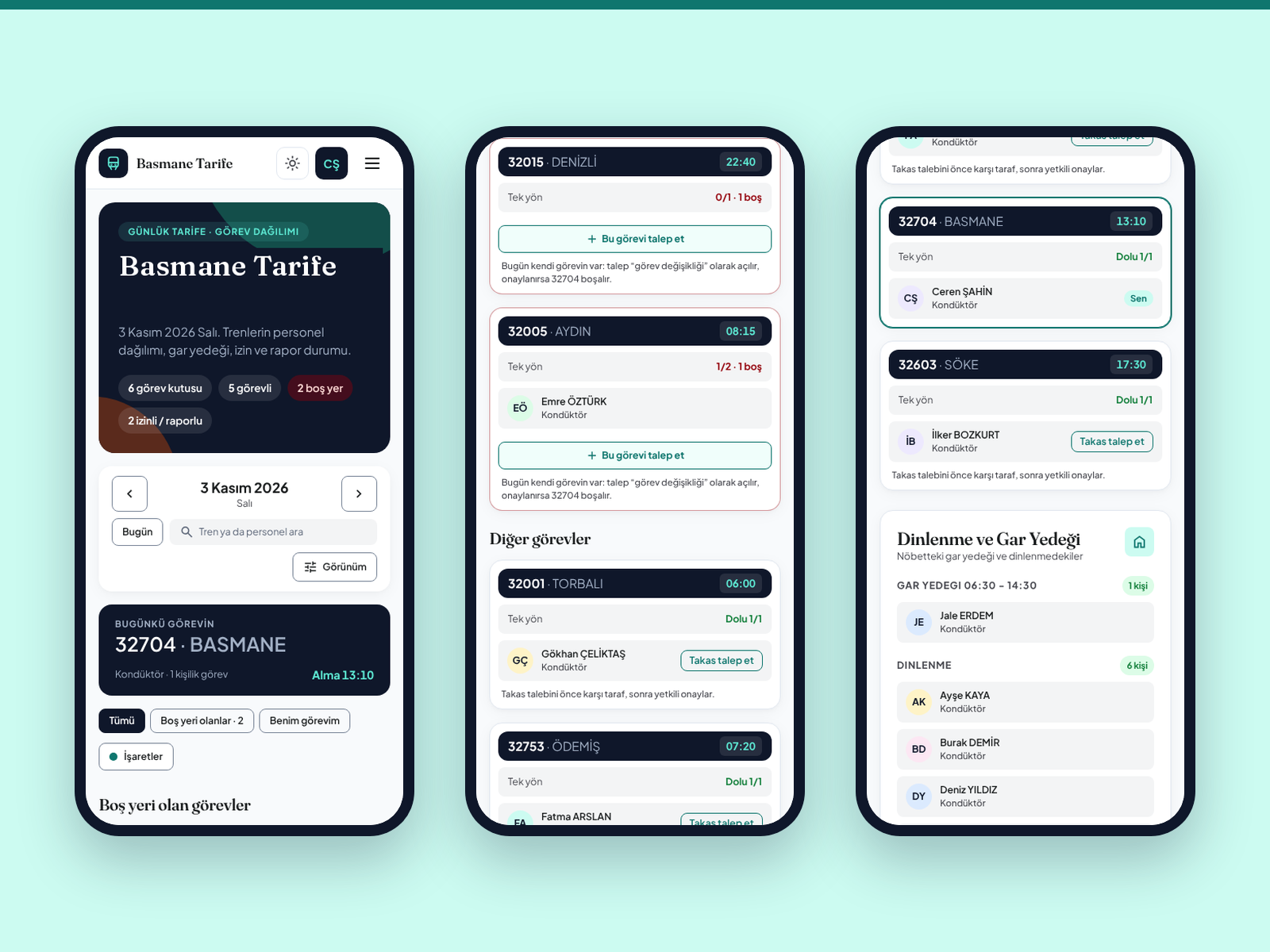
The staff list and a personal page on the phone
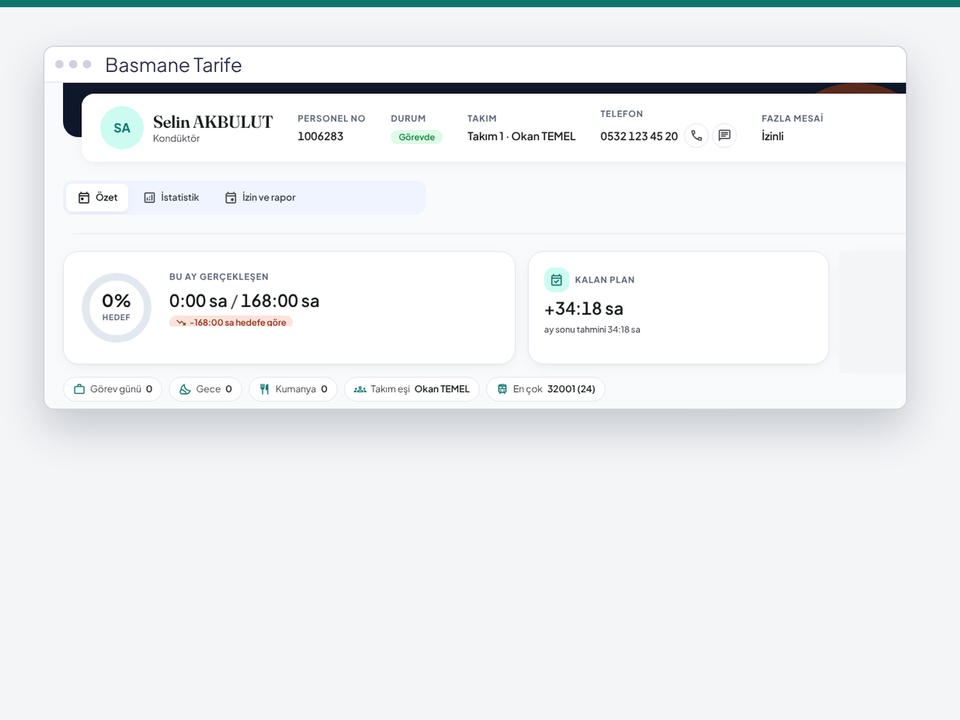
A staff member's own page: working hours this month and the target
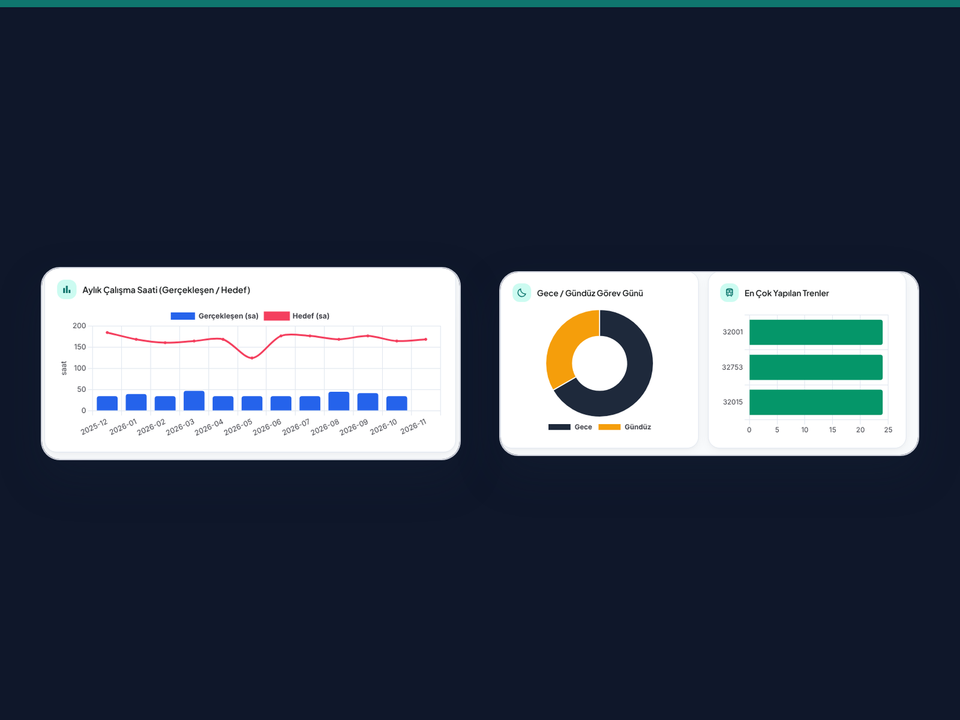
Statistics: monthly working hours compared with the target
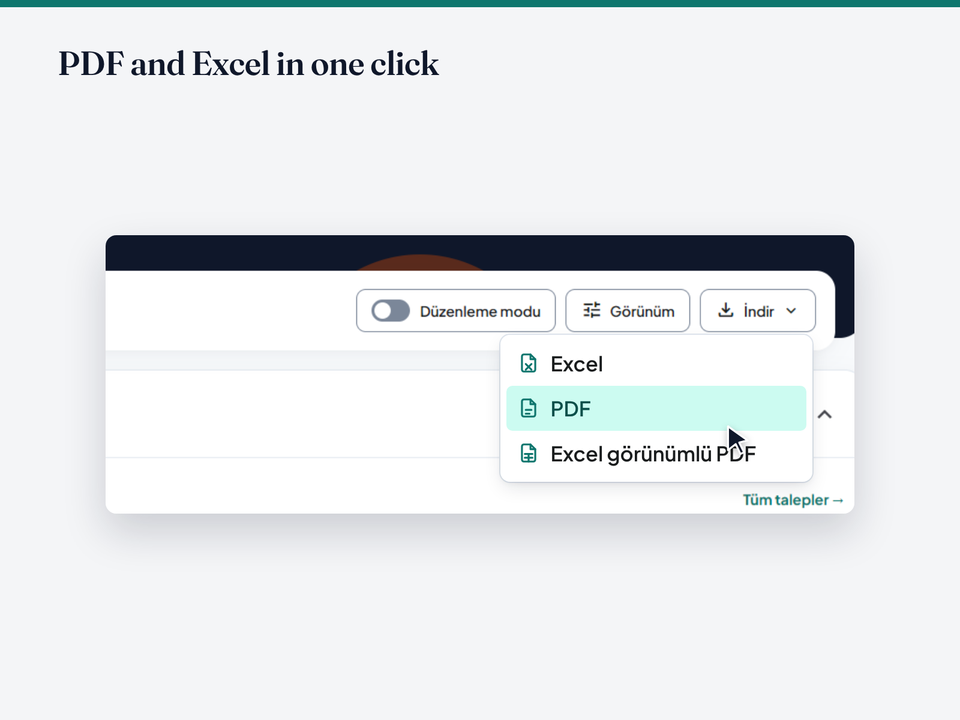
The download menu on the daily roster: Excel, PDF and an Excel-style PDF
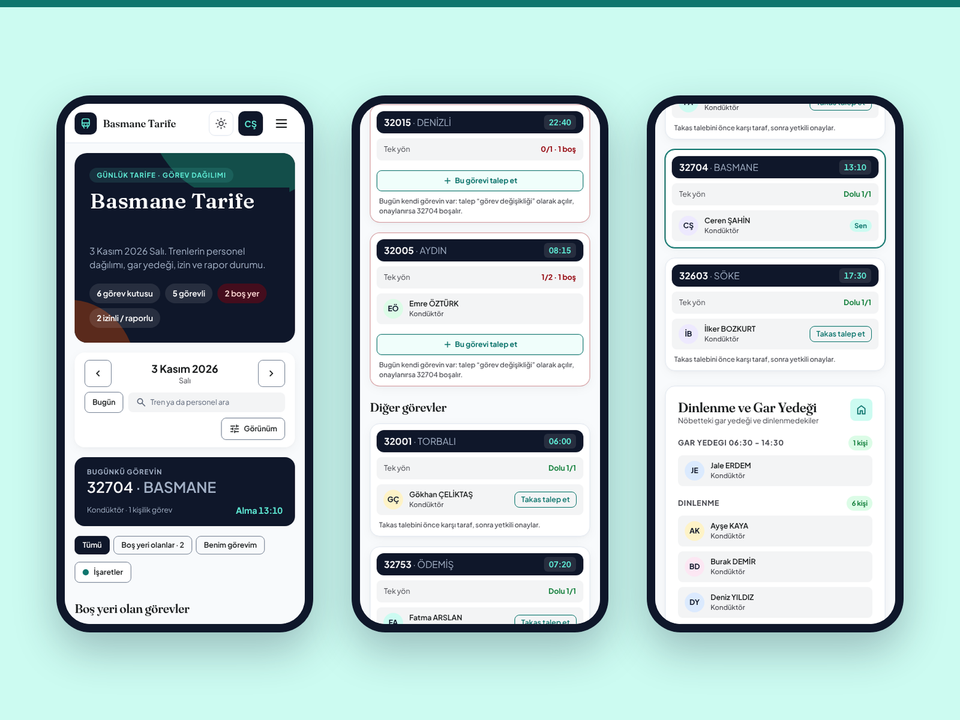
Today's duty card and the day's duties on a staff member's phone
Trust, permissions and quality
Permissions are role-based: who can open which screen and who can publish are set one by one, and staff see only their own duty and hours.
It works on a computer, a tablet and a phone, with a dark theme and a text size setting.
On the quality side, more than 5,500 automated tests run with every change. In the last run, none of them failed.
What comes next
Basmane Tarife V2 has been tested and is ready to be presented to the company. The next step is to introduce it to the relevant units and collect feedback. The screens are in Turkish.
I built Basmane Tarife and emirbalin.com together with Claude, with vibe coding. The plan, the decisions and the checks were mine. I wrote about my other volunteer project, Rehber, in this post.