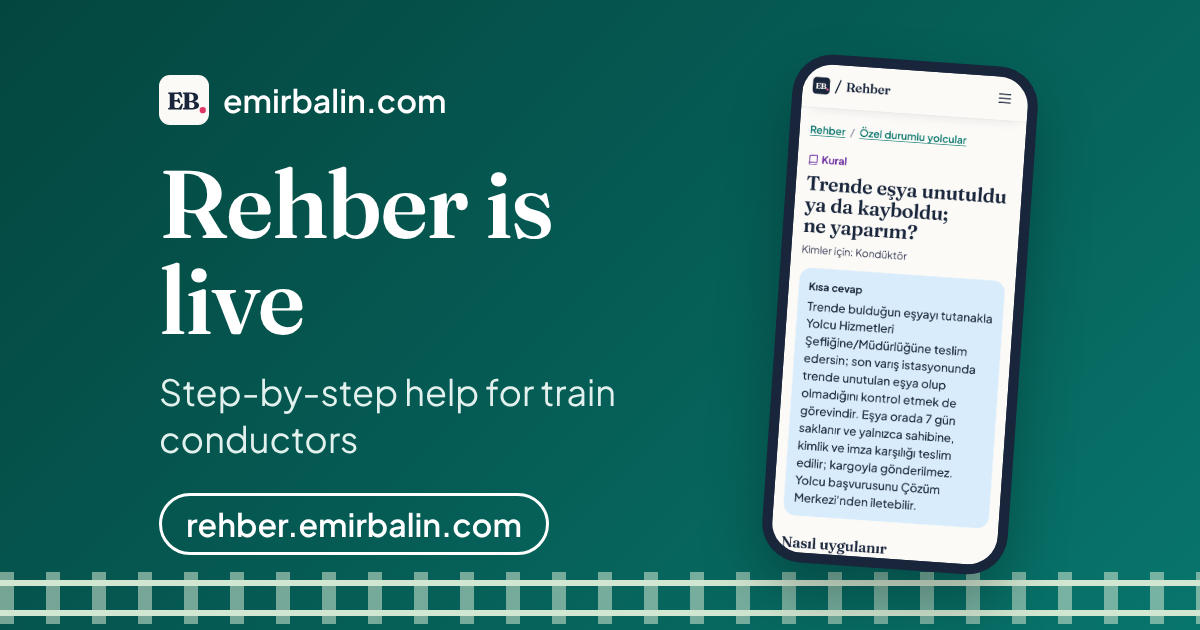
Rehber is live at rehber.emirbalin.com. It is a volunteer conductor guide I made for train conductors who work in the field. When a question comes up on the train, it gives a short, step-by-step answer.
I have worked as a conductor at TCDD Taşımacılık in Türkiye for four years. I designed this conductor guide as a help site that opens fast and reads well on a phone, even with a weak connection. Rehber is Turkish for "guide", and the site is in Turkish.
What this conductor guide is, and why I made it
Every conductor knows this moment. A passenger is waiting and asks about a rule, or something unexpected happens. What now?
The answer is usually written somewhere, but it is scattered: in a circular, on a company web page, in an experienced colleague’s head. It is hard to know which is up to date, and there is no time.
I made Rehber for that moment.
Rehber puts this scattered information in one place. It is for TCDD Taşımacılık staff: conductors first, then other staff groups. Each article answers one question. The title is written the way people ask it on the job: "Something was left or lost on the train. What do I do?"
To be clear: Rehber is not an official TCDD website, and it does not use the company logo or emblem. The same note sits at the bottom of every page: "Not an official source; check the last review date." Urgent and official reports still go to the company’s official channel, Çözüm Merkezi (the customer solution centre).
What changed, and what made a difference
From draft to live, I added three things.
- Prepare a report. A button in the top menu and in related articles opens an incident or lost property report on your phone.
- A shorter "Be careful" section. Long notes fold under "Show more".
- All sources in one list, under "Show sources", with the number of sources.
All three have one goal: to read the answer, not search for it.
How it works
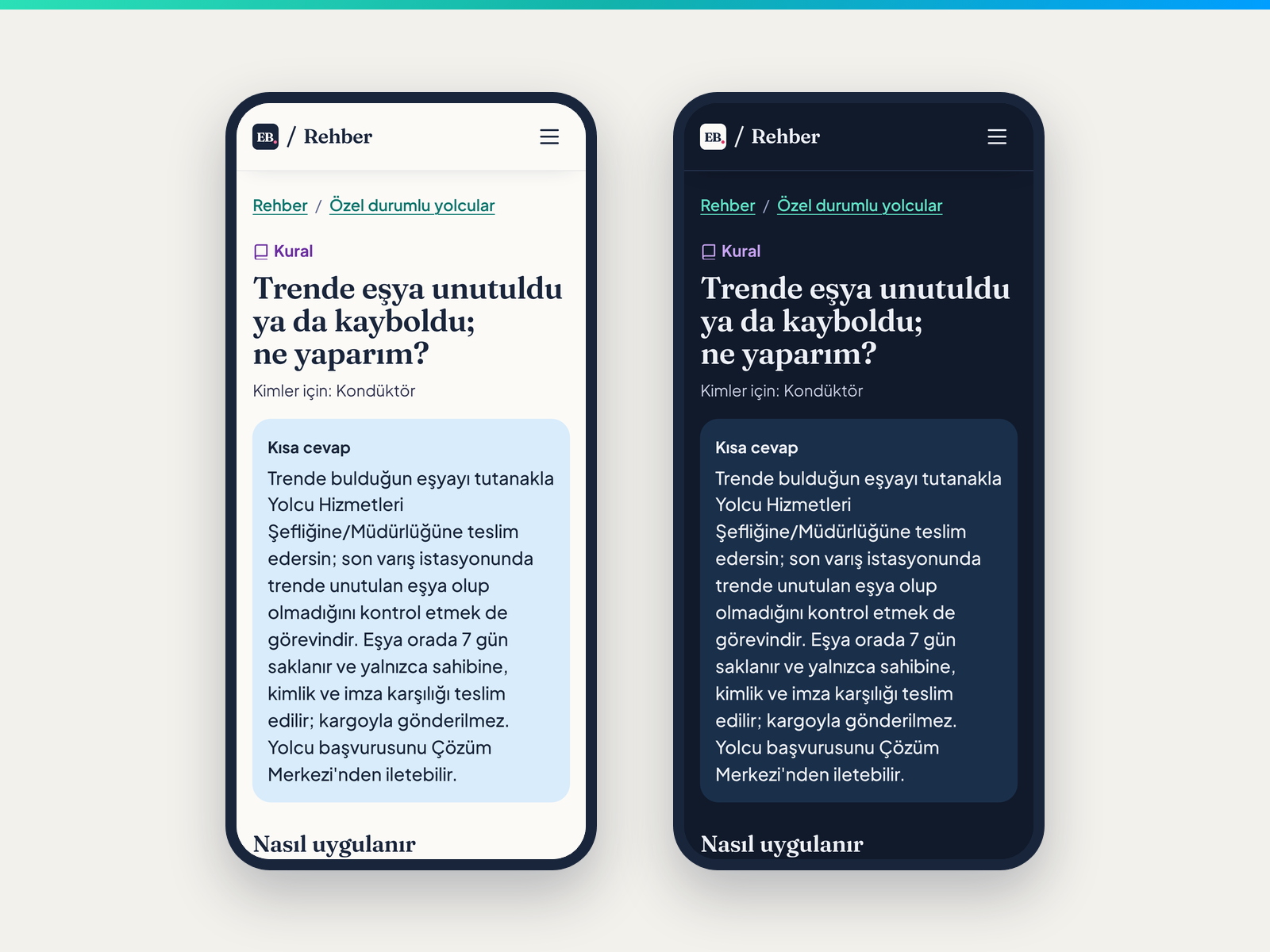
I designed Rehber for phones. People read it on the train, standing, with a weak connection, sometimes in bright sun. So my two priorities were finding things fast and reading them easily. The text is large, the buttons are big enough for a finger, and there is a light and a dark theme that follows your phone’s setting.
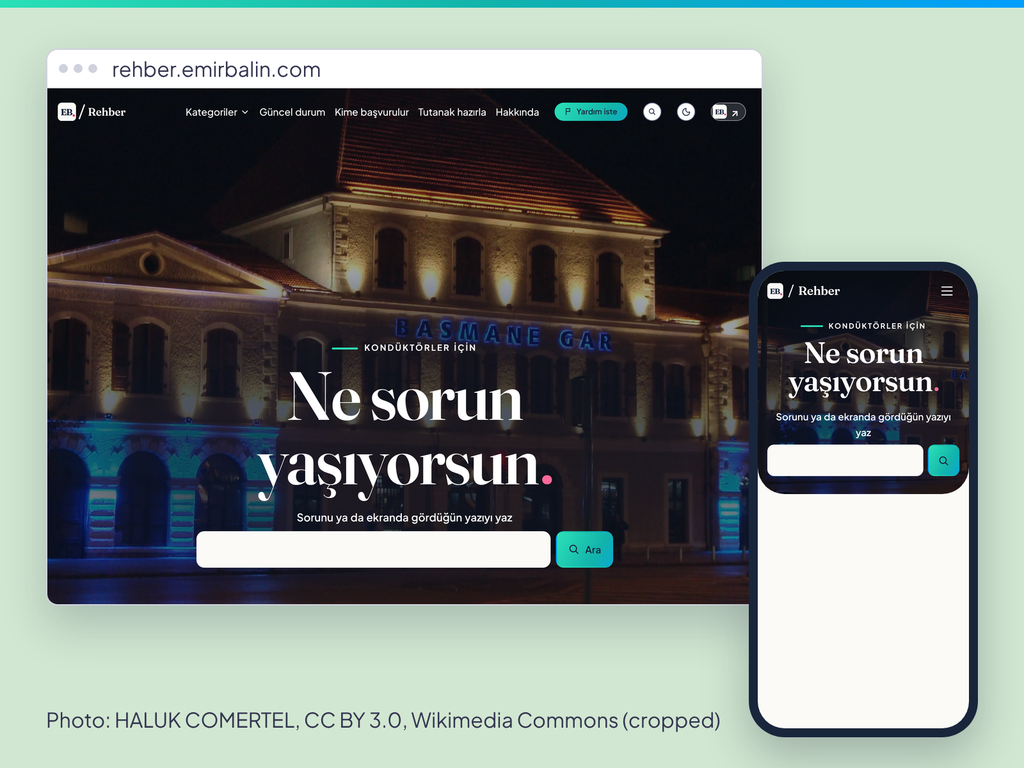
It shares the colours and fonts of emirbalin.com. The home page shows Basmane Station in İzmir, a place I know well.
How an article is built
Every article follows the same order.
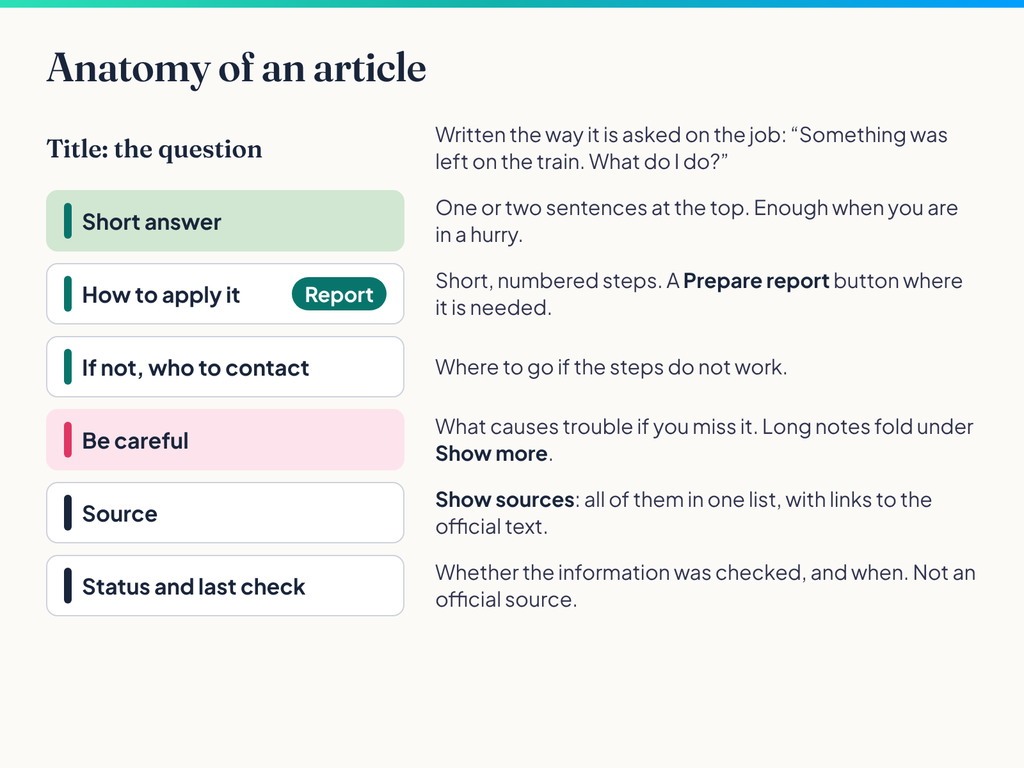
- Short answer. One or two sentences at the top.
- How to apply it. Short, numbered steps, with a "Prepare a report" button where needed.
- If not, who to contact. Where to go if the steps do not work.
- Be careful. Points that cause trouble if you miss them.
- Source. Where the information comes from, with a link to the official text.
- Status and last review. Whether the information was checked, and when.
Search and topics
The search box is ready as soon as the page opens. It works with or without Turkish letters, so "ucret" finds "ücret" (fare). If you typed the end of a word differently, it cuts the last few letters and tries again.
If nothing is found, a "Not found" box points you to the topics and later the Ask for help form.
You can also browse topics: 28 articles are live now, sorted into seven topics; "Passengers with special needs" covers pets, bicycles and passengers who need assistance.
Glossary and Who to contact. Plain explanations of the terms used in the articles are in the Glossary (43 terms), and the right place to turn to for each topic is on the Who to contact page (20 entries). Both pages are in Turkish.
Preparing a report
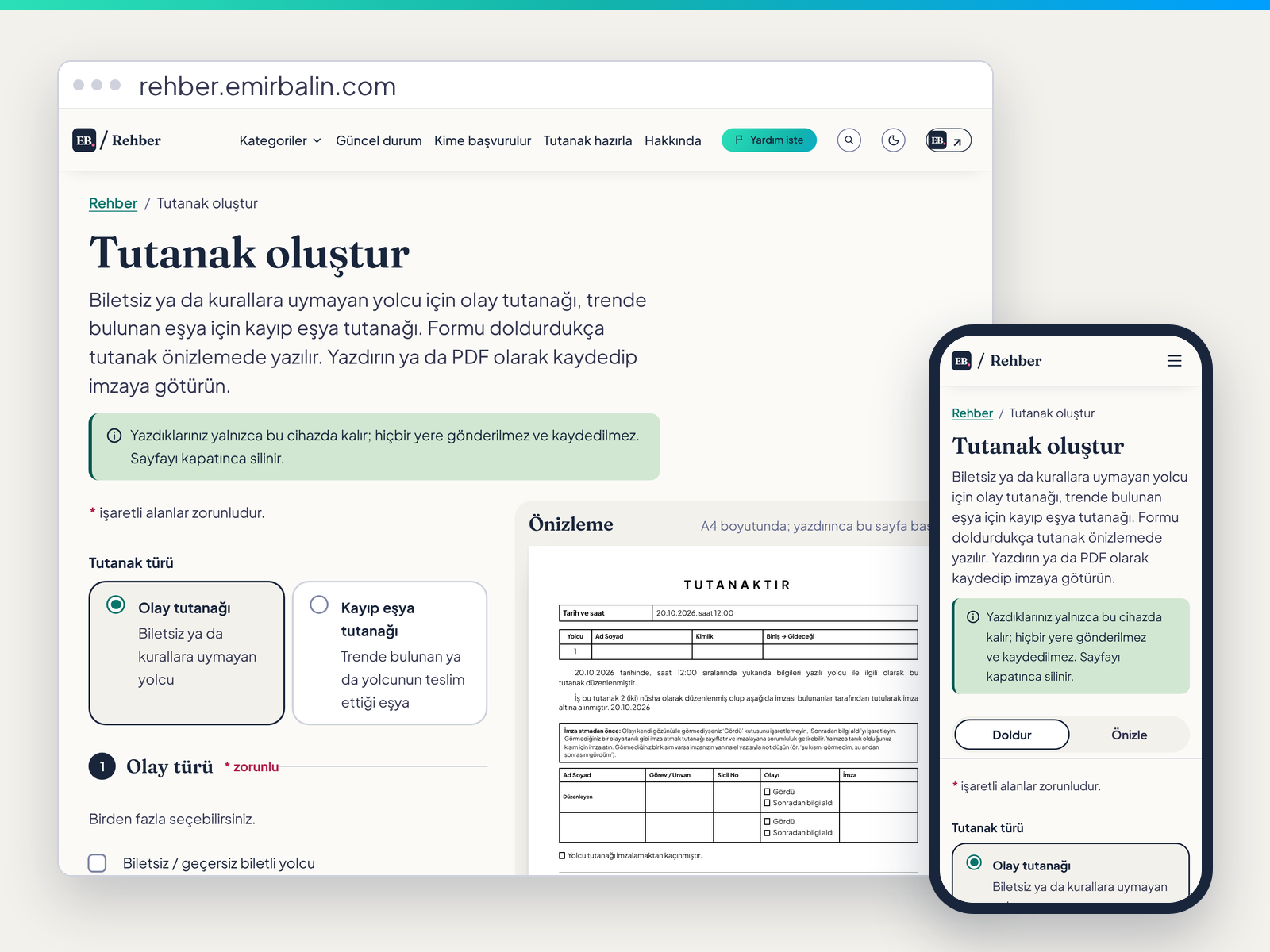
On the report page, the A4 preview next to the form changes as you type. You can print it, save it as a PDF, or print a blank one to fill in by hand.
The text is built only from the fields you fill in; nothing is made up. It works out the train delay from arrival and departure times. It reminds you that a lost property report needs two copies, and tells you not to tick "Saw it" if you did not see the event. Most important: what you type does not leave your device. The form is not sent anywhere, and passenger and witness details are not stored. Only your own name, role and staff number can be remembered on the device, if you want.
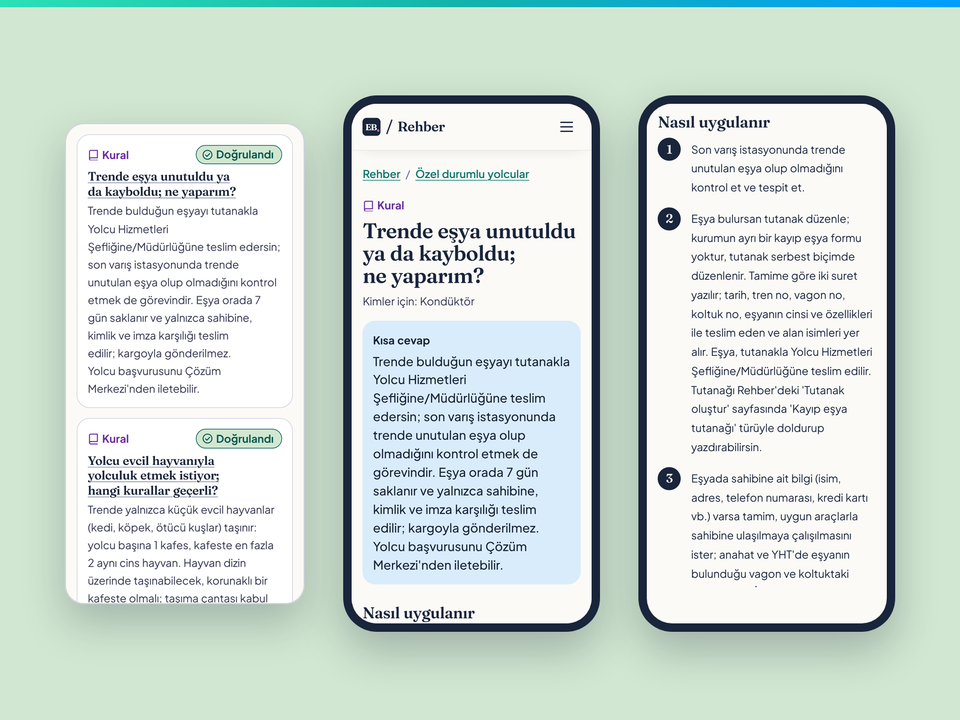
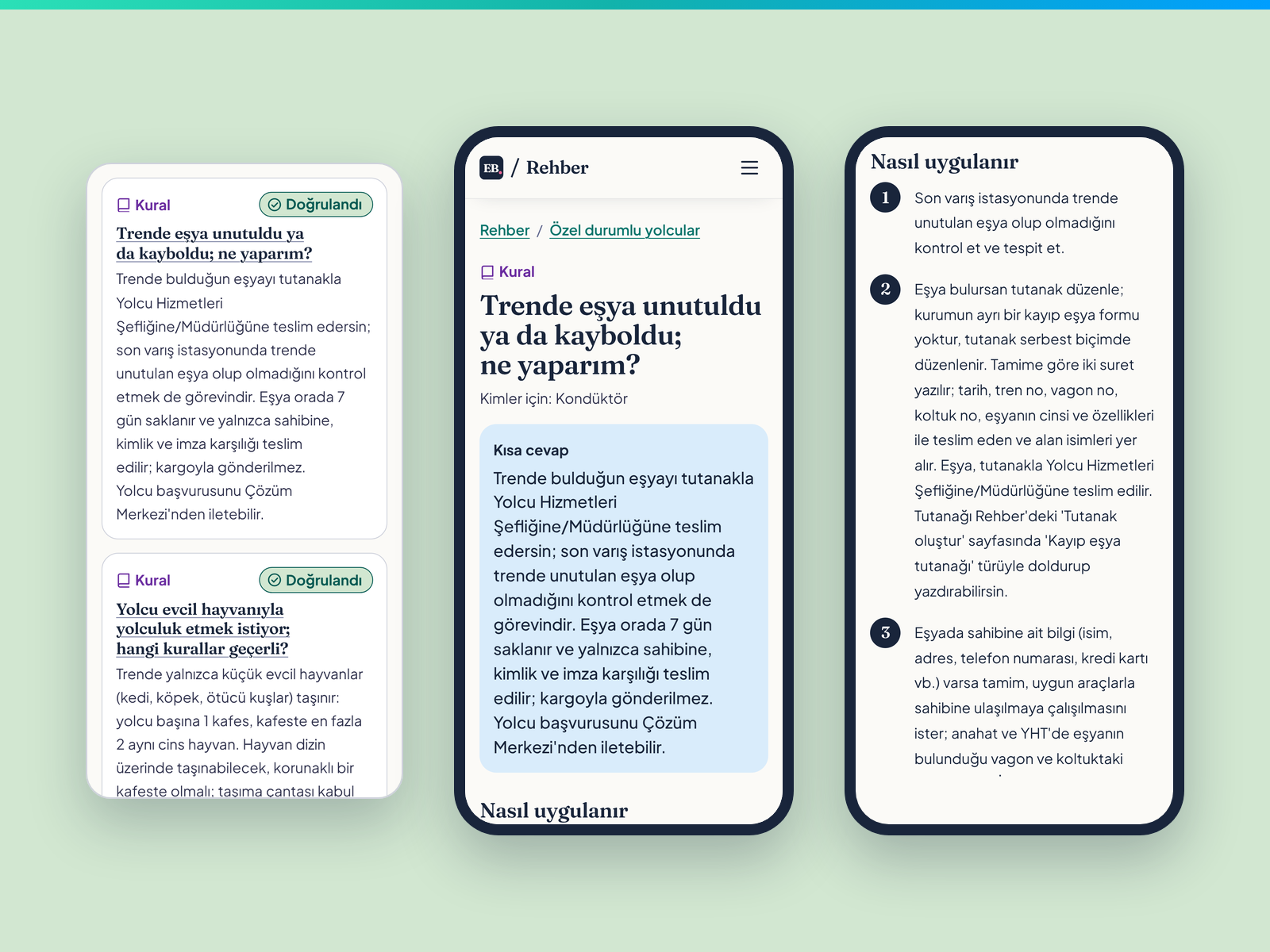
Articles from the special needs topic, the lost property article and its steps on three phones
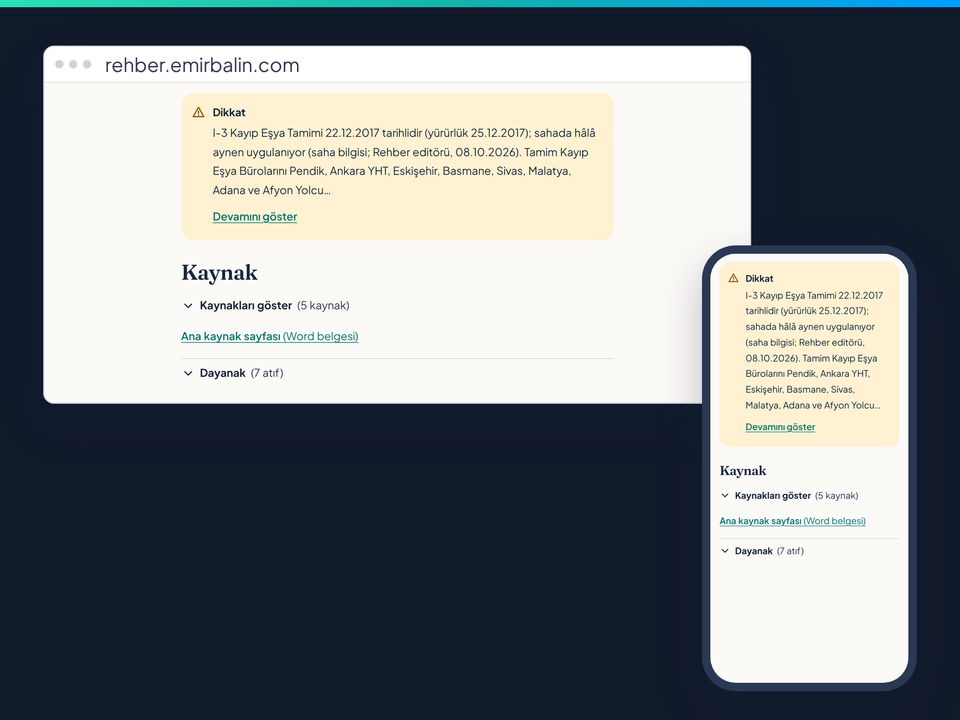
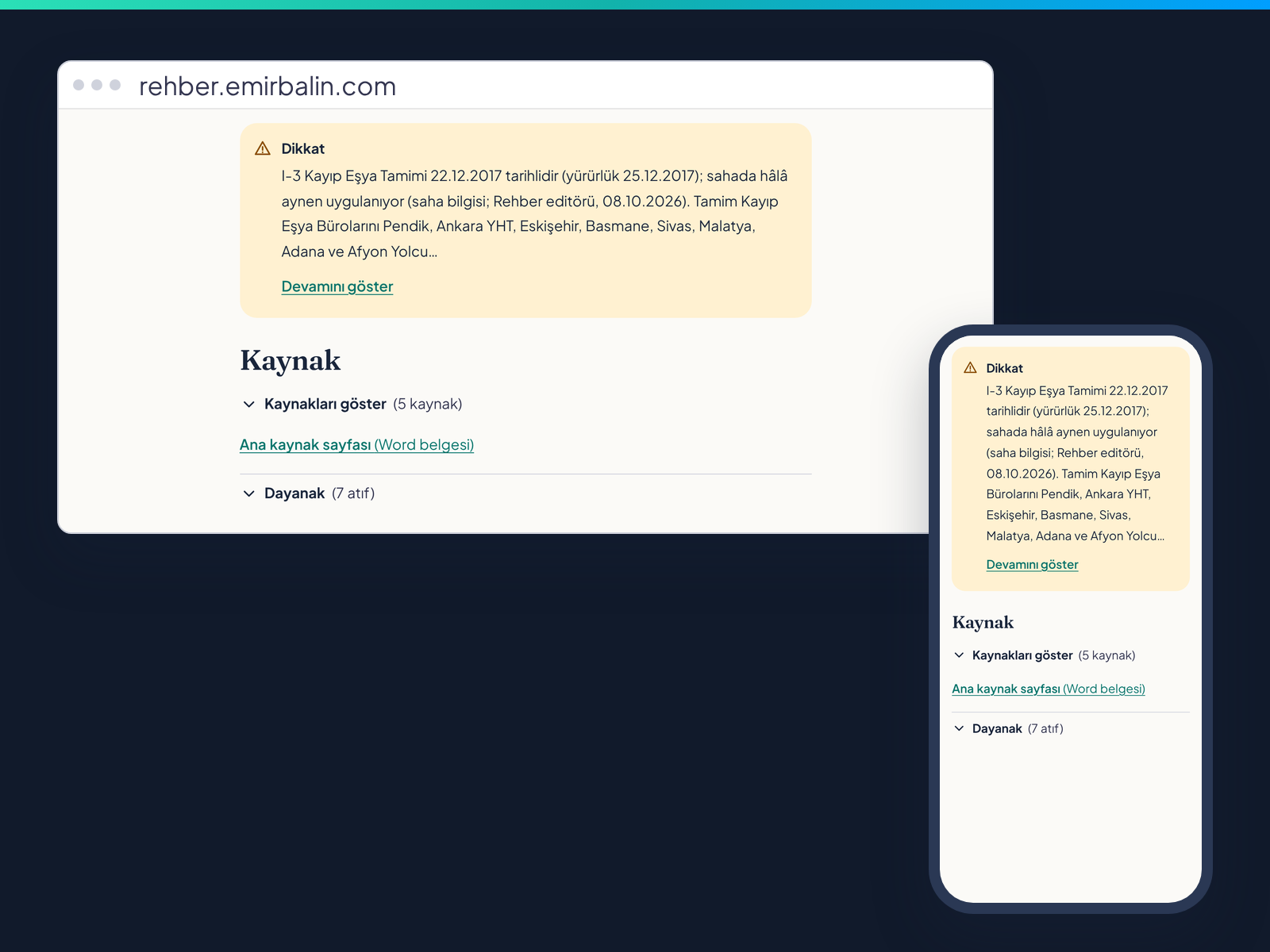
The Be careful and Source sections, on desktop and phone
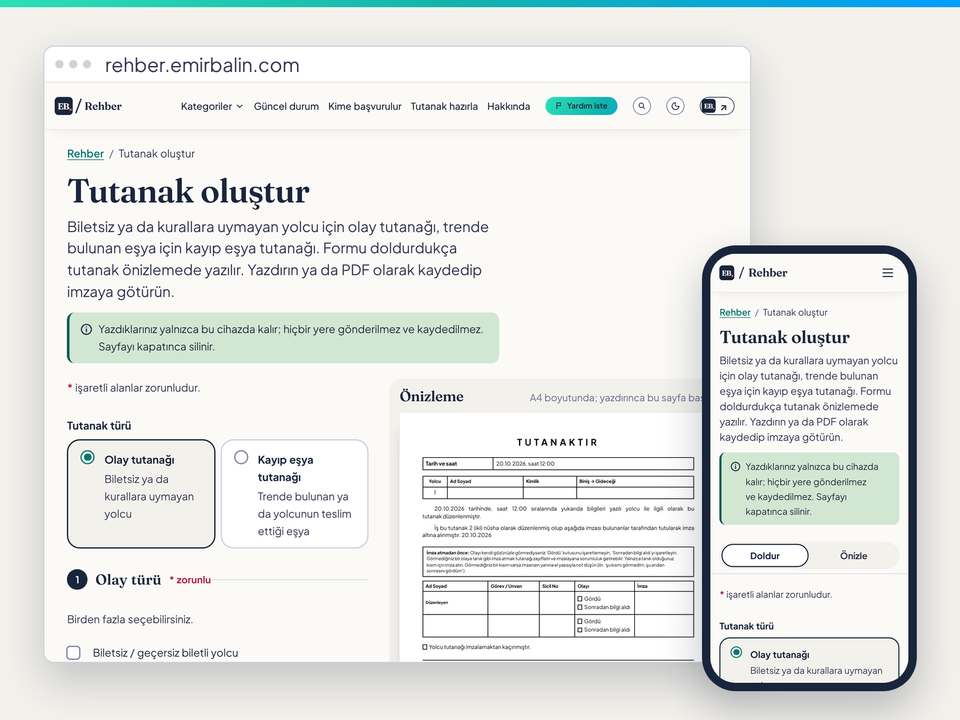
The empty report page with its A4 preview
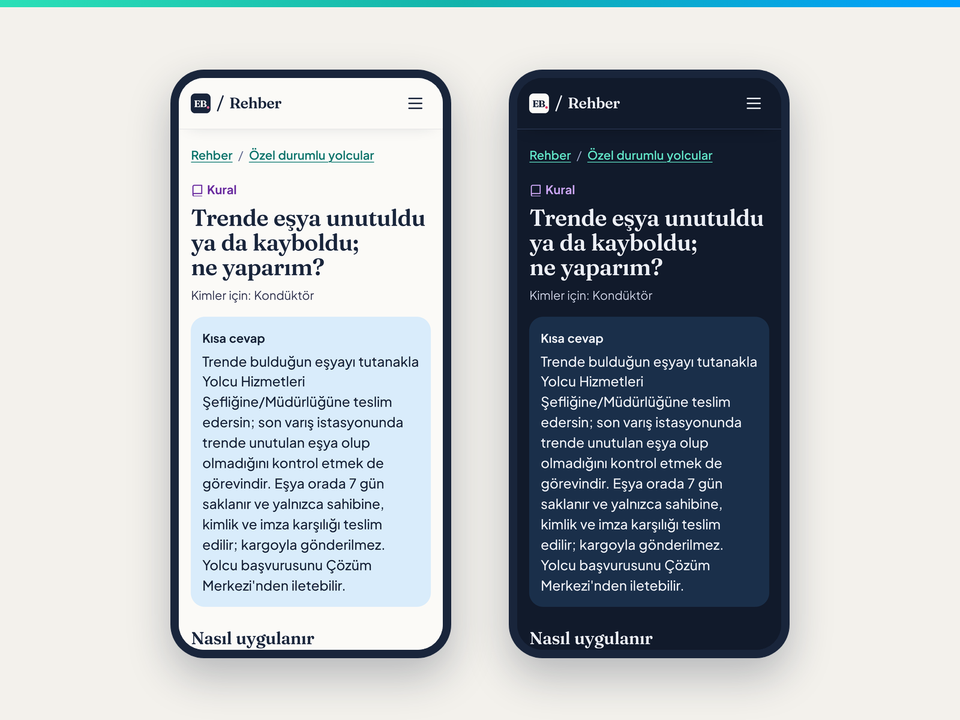
The same article on a phone in light and dark theme
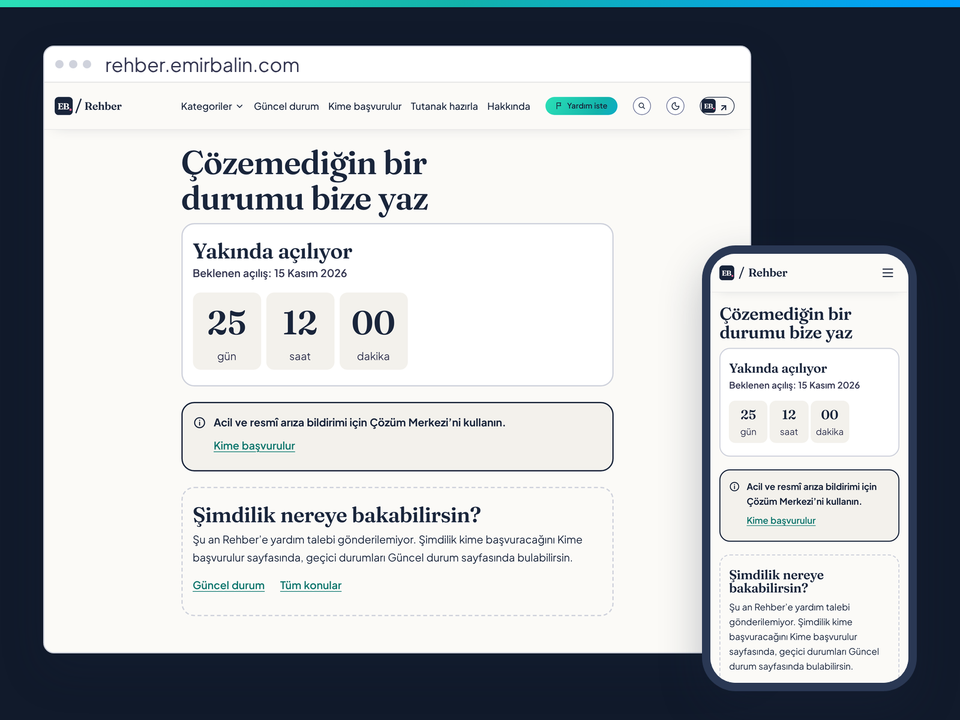
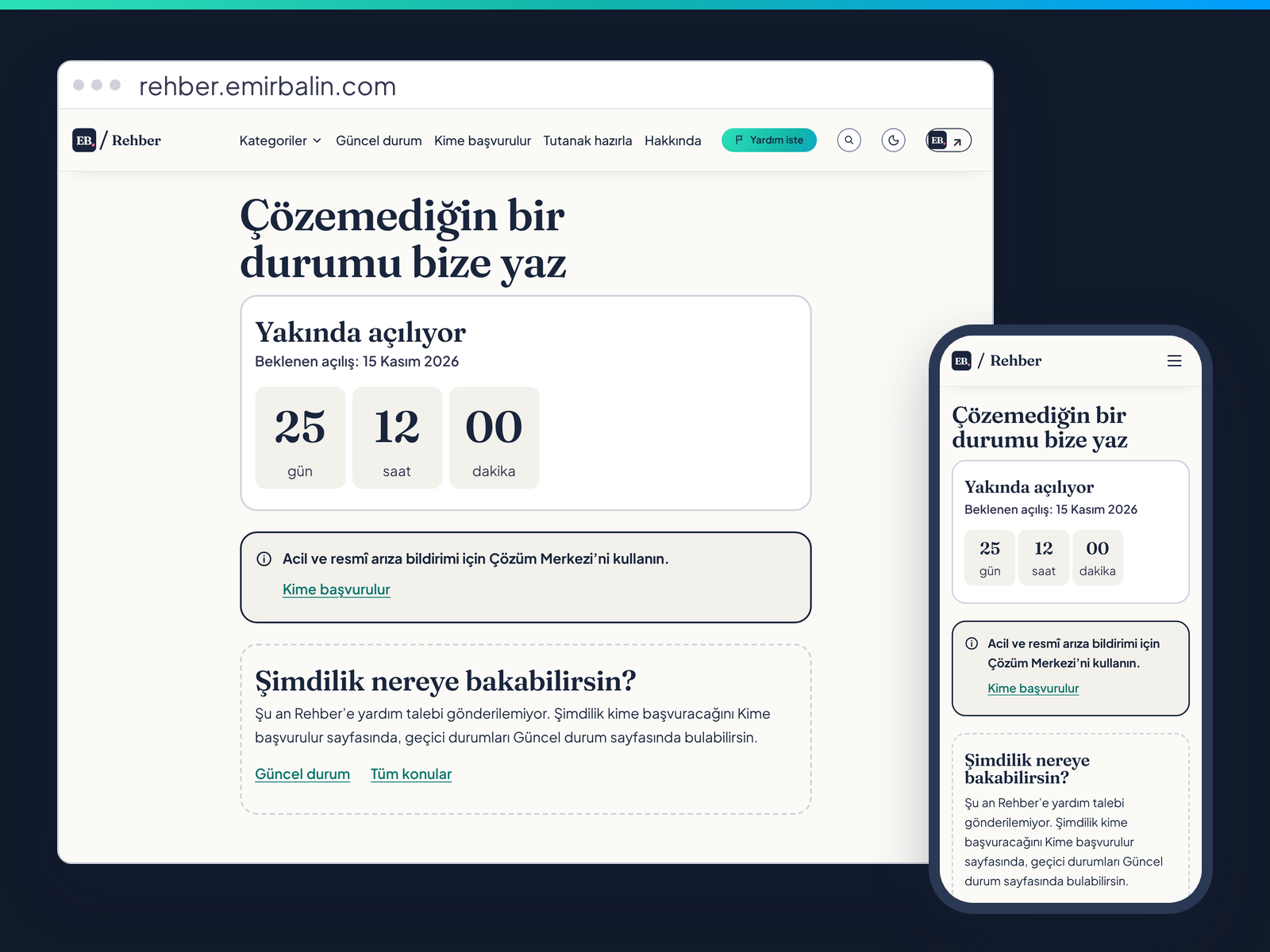
The Ask for help page with a countdown to 15 November 2026
Accuracy and sources
Wrong information is worse than none, so I set rules from the start.
- Every article has sources, with the name and link of the page, circular or regulation.
- Every article shows its status: "Verified", "Not verified" or "Outdated".
- Field knowledge is marked. Some things are known on the job but not written anywhere official. I add them, and the source line says it is field knowledge, with the date.
- Automatic content is kept apart. I get help from AI and scripts when I draft. Everything they produce first comes in marked "not verified".
- A field answer is not enough on its own. A colleague’s experience, or mine, does not make an article "Verified". It needs an official basis or a manager’s approval.
- The final decision is mine. An article goes live only after I check and approve it.
What comes next
- Ask for help. A form for situations you could not solve. My target is 15 November 2026, and the page shows a countdown. It is not for emergencies; it is for making Rehber better.
- New articles. I add articles one by one when their review is done.
- Offline reading and a phone app. The connection often drops on trains, so saving articles for use without internet is planned.
- A bot. Reaching the same content through a bot is also planned.
I build Rehber and emirbalin.com with Claude, with vibe coding; the plan, decisions and checks are mine. I wrote about the site’s new design in my first post. You can see my other work on the Projects page.
Photo in the home page image: Basmane Station, İzmir; HALUK COMERTEL, CC BY 3.0 (https://creativecommons.org/licenses/by/3.0/), Wikimedia Commons (https://commons.wikimedia.org/wiki/File:Basmane_tren_garı-İzmir_-_panoramio.jpg). Cropped.